
To master video meeting etiquette, keep your background simple and professional, and test it ahead of time. Use proper lighting to stay visible, and always mute your microphone when you’re not speaking. Be respectful by avoiding interruptions, managing background noise, and maintaining eye contact by looking into the camera. Dress appropriately for the meeting’s tone, and participate actively without dominating the conversation. Continue exploring these tips to guarantee your virtual presence always makes a positive impression.
Key Takeaways
- Mute your microphone when not speaking to minimize background noise.
- Choose a simple, professional virtual background that suits the meeting’s tone.
- Ensure proper lighting to improve visibility and present a polished appearance.
- Be punctual and attentive, maintaining eye contact by looking into the camera.
- Use headphones with a microphone to enhance audio quality and reduce echo.
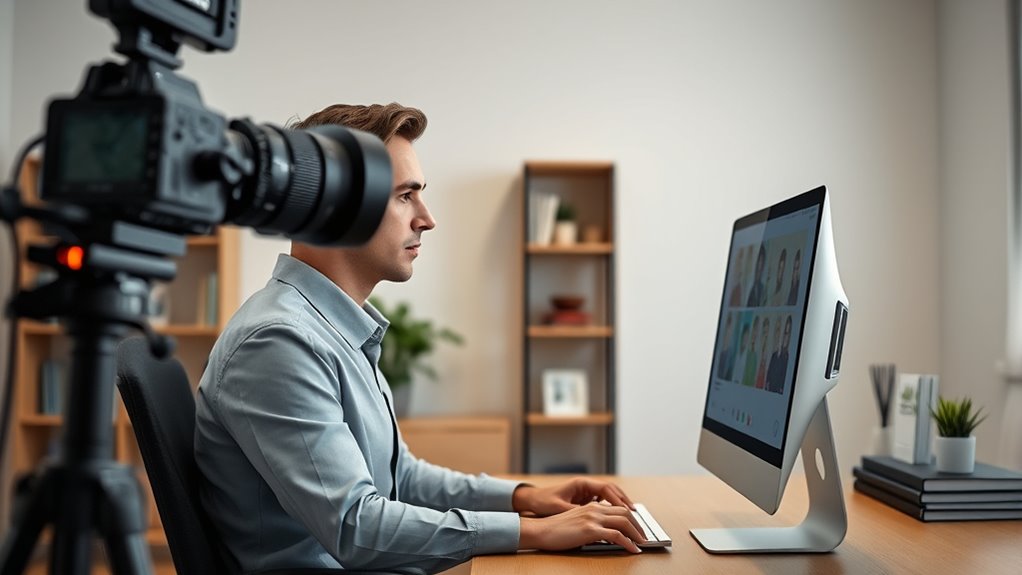
In today’s remote work environment, mastering video meeting etiquette is essential for maintaining professionalism and ensuring smooth communication. One of the first things you should consider is how you present yourself visually, which includes choosing appropriate virtual backgrounds. Virtual backgrounds can be a helpful tool to hide cluttered or distracting spaces, but they require careful selection. Opt for simple, professional images that don’t overpower your appearance or distract others. Avoid busy patterns or overly bright colors that can cause visual noise on the screen. Make sure your background aligns with the meeting’s tone—whether it’s a formal presentation or a casual team check-in. Test your virtual background beforehand to ensure it works seamlessly with your lighting and camera setup. A poorly implemented virtual background can look unprofessional or glitchy, which detracts from your credibility and the flow of the meeting. Additionally, consider how your lighting setup affects your appearance, as good lighting can enhance your visibility and professionalism on camera.
Equally important is microphone etiquette. Your microphone is a crucial communication tool, and using it properly can prevent misunderstandings and interruptions. Always mute yourself when you’re not speaking to minimize background noise—dogs barking, keyboard typing, or household chatter can all disrupt the meeting’s focus. When you need to speak, unmute yourself confidently, but do so with clarity and at an appropriate volume. Avoid interrupting others and wait for natural pauses to contribute your thoughts. Keep your microphone close enough to pick up your voice clearly, but avoid speaking too loudly, which can be jarring for others. If you’re in a noisy environment, consider using headphones with a built-in mic to improve audio quality and reduce echo or feedback. Being mindful of your microphone etiquette shows respect for your colleagues’ time and helps maintain a professional atmosphere.

Portable Green Screen Chair, 59 in Greenscreen Backdrop with Stand Double Sided Foldable Green Background, Chroma Key, for Video Chats and Meetings, Photography, Photo Zoom, Streaming Games
DIVERSITY:Combined green background can be divided into two parts. The green screen of the chair can be used…
As an affiliate, we earn on qualifying purchases.
As an affiliate, we earn on qualifying purchases.
Frequently Asked Questions
How Should I Handle Technical Difficulties During a Video Meeting?
When facing technical difficulties during a video meeting, stay calm and quickly troubleshoot. If you experience audio issues, check your microphone and speakers, and try an audio troubleshooting tip like restarting your device or disconnecting and reconnecting. For camera issues, verify your camera is properly connected and enabled. If problems persist, inform the host politely, and consider turning off your video temporarily to stay engaged while resolving the issue.
What Is the Best Way to Join a Meeting Late?
Like a skilled actor slipping into a scene, you should quietly join the meeting, guarantee your microphone is muted, and avoid disrupting the flow. Respectful punctuality is key, so aim to join as close to the start as possible. If you’re late, briefly apologize and catch up without drawing attention. Demonstrating timeliness etiquette shows you value others’ time and helps maintain a professional atmosphere.
How Do I Politely Interrupt Someone During a Meeting?
To politely interrupt someone during a meeting, wait for a natural pause or a moment when the speaker finishes a thought. Use respectful interjections like “Sorry to interrupt,” or “If I may add,” to show courtesy. Keep your tone calm and concise, clearly stating your point without cutting others off abruptly. This approach guarantees your contributions are heard while maintaining a respectful and professional atmosphere.
Is It Appropriate to Use Virtual Backgrounds in Professional Meetings?
Using virtual backgrounds in professional meetings is generally appropriate if you follow virtual background etiquette. Studies show 70% of remote workers feel virtual backgrounds can improve their meeting experience. Choose professional background choices that are tidy and non-distracting, avoiding overly flashy or personal images. Keep in mind that a simple, clean virtual background helps maintain focus on the meeting, reflecting your professionalism and respect for colleagues.
How Can I Ensure My Internet Connection Remains Stable?
To make certain your internet connection stays stable, start by checking your internet speed and upgrading your plan if needed. Use a wired Ethernet connection instead of Wi-Fi for better stability, and position your router centrally to improve Wi-Fi stability. Close unnecessary apps that consume bandwidth, and restart your router regularly. These steps help maintain a strong connection, preventing lag and interruptions during important meetings.
noise cancelling headphones with microphone
As an affiliate, we earn on qualifying purchases.
As an affiliate, we earn on qualifying purchases.
Conclusion
Remember, good video meeting etiquette is your best tool to make a positive impression. Be punctual, prepared, and attentive, showing respect for everyone’s time. Keep distractions to a minimum and communicate clearly. When you follow these simple rules, you’ll avoid stepping on toes and keep things running smoothly. In the end, it’s better to be safe than sorry—because a little effort now can save a lot of headaches later. Stay courteous and make every meeting count!

Cyezcor Video Conference Lighting Kit, Ring Light for Monitor Clip On,for Remote Working, Distance Learning,Zoom Call, Self Broadcasting and Live Streaming, Computer Laptop Video Conferencing
【ADJUSTABLE TEMPERATURE AND BRIGHTNESS】Our video conference lights have 3 color temperatures (white light/warm light/natural light) which are 3200k-6800k,…
As an affiliate, we earn on qualifying purchases.
As an affiliate, we earn on qualifying purchases.

JOUNIVO USB Microphone, 360 Degree Adjustable Gooseneck Design, Mute Button & LED Indicator, Noise-Canceling Technology, Plug & Play, Compatible with Windows & MacOS
360 Degree Position Adjustable Gooseneck Design –Plug and play USB microphone Pick up the sound from 360-degree with…
As an affiliate, we earn on qualifying purchases.
As an affiliate, we earn on qualifying purchases.