

To build a small-business tech toolkit, focus on cloud computing for secure, flexible data access and real-time collaboration. Invest in reliable hardware and cloud-based applications to streamline workflows like accounting and communication. Implement strong cybersecurity measures such as multi-factor authentication, encryption, firewalls, and regular updates to safeguard your data. Backup solutions ensure quick recovery from issues. Combining these essentials creates a resilient, scalable setup. Keep exploring to discover how to optimize and integrate these tools for your business success.
Key Takeaways
- Reliable hardware devices like laptops, desktops, and mobile phones to support daily operations.
- Cloud-based applications for accounting, CRM, communication, and collaboration.
- Robust cybersecurity measures, including firewalls, antivirus, encryption, and multi-factor authentication.
- Data backup solutions to ensure quick recovery from technical failures or data loss.
- Employee training on cybersecurity best practices and awareness of cyber threats.
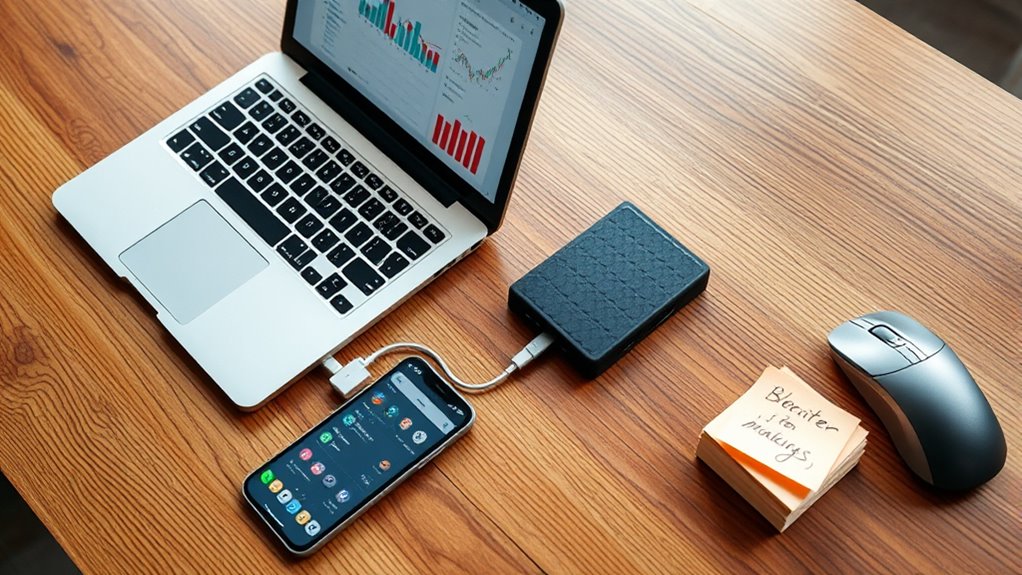
Are you equipped to handle your small business’s technology needs? Traversing the digital landscape can feel overwhelming, but having the right tools makes all the difference. One of the most crucial components of a modern small-business tech toolkit is cloud computing. It allows you to store data securely online, giving you easy access from anywhere, whether you’re at the office, home, or on the go. Cloud services also streamline collaboration, letting your team work together on documents and projects in real-time. This flexibility can boost productivity and reduce the need for expensive on-site servers. Plus, cloud computing often operates on a subscription basis, making it a cost-effective solution for small businesses that want scalability without large upfront investments.
Cloud computing empowers small businesses with secure, accessible data storage and seamless collaboration.
However, as you move your operations into the cloud, cybersecurity measures become more critical than ever. Small businesses are increasingly targeted by cybercriminals because they often lack the robust security infrastructure of larger corporations. Implementing strong cybersecurity measures, such as multi-factor authentication, regular password updates, and encryption, helps shield your sensitive data from breaches and malicious attacks. It’s also essential to keep your software and systems updated to patch vulnerabilities that hackers might exploit. Firewalls and antivirus programs add another layer of protection, while employee training ensures your team recognizes phishing attempts and other common cyber threats. Combining cloud computing with solid cybersecurity measures creates a resilient environment where your data stays safe, and your business continues to operate smoothly.
Beyond cloud and security, consider investing in reliable hardware—like a responsive laptop or desktop, printers, and mobile devices—so your team can work efficiently. Cloud-based applications for accounting, customer relationship management, and communication tools are also indispensable, enabling seamless workflows. Don’t forget about data backup solutions; even with cloud storage, having an additional backup ensures you can recover quickly from unexpected issues. Having a complete tech toolkit means you’re prepared for various scenarios, from technical glitches to cyber threats, ensuring your business stays productive and protected.
In essence, your small-business success hinges on integrating cloud computing with robust cybersecurity measures. This combo not only safeguards your data but also provides the agility needed to grow and adapt in a competitive market. By prioritizing these essentials, you’ll build a resilient infrastructure that supports your goals today and scales for tomorrow. Remember, staying proactive with your technology choices is key to maintaining efficiency, security, and peace of mind as you navigate your entrepreneurial journey.
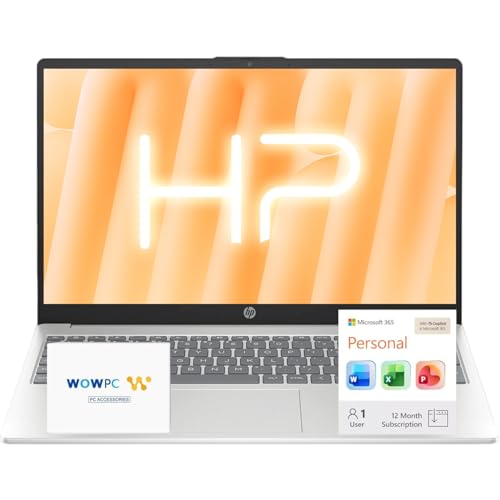
HP 15.6" Business Laptop Computer with Microsoft 365 • 2026 Edition • Copilot AI • Intel 4-Core N100 CPU • 1.1TB Storage (1TB OneDrive + 128GB UFS) • Windows 11 • w/o Mouse
Operate Efficiently Like Never Before: With the power of Copilot AI, optimize your work and take your computer…
As an affiliate, we earn on qualifying purchases.
As an affiliate, we earn on qualifying purchases.
Frequently Asked Questions
How Do I Choose Affordable Tech Tools for My Small Business?
To choose affordable tech tools for your small business, start by identifying your specific needs and setting a clear budget. Look for budget-friendly options that offer essential features without overspending. Conduct a vendor comparison to evaluate prices, customer reviews, and support services. This way, you guarantee you’re investing in reliable tools that fit your budget, helping your business grow efficiently without unnecessary costs.
What Cybersecurity Measures Are Essential for Small Businesses?
Are you prepared for the lurking cyber threats? Essential measures include implementing robust cyber threat detection to catch issues early. Don’t forget data encryption techniques to protect sensitive information from prying eyes. Regularly update your software, use strong passwords, and back up your data. These steps create a formidable barrier, preventing cyberattacks from causing chaos. Stay vigilant—your small business’s security depends on it.
How Can I Efficiently Train Staff on New Technology?
You can efficiently train staff on new technology by organizing interactive workshops and hands-on training sessions. These methods keep your team engaged and allow them to practice using the tools in real-time. Encourage questions and provide ongoing support, so employees feel confident and comfortable. Regular refresher courses also help reinforce learning, ensuring your team stays up-to-date with evolving technology and best practices.
Which Tech Tools Improve Remote Team Collaboration?
To improve remote team collaboration, you should leverage tech tools focused on virtual communication and project management. Use platforms like Slack or Microsoft Teams for instant messaging and video calls, ensuring clear virtual communication. Integrate project management tools like Asana or Trello to keep tasks organized and transparent. These tools help your team stay connected, coordinate efficiently, and meet deadlines, making remote collaboration seamless and productive.
How Often Should Small Businesses Update Their Tech Equipment?
You should update your tech equipment every 3-4 years to guarantee hardware longevity and stay current with software updates. For example, a small bakery refreshed their POS system after four years, boosting efficiency and customer service. Regular updates aid in budget planning by avoiding costly breakdowns and security risks. Staying proactive keeps your business running smoothly, enhances productivity, and prevents unexpected expenses from outdated hardware.

QuickBooks Online For Dummies, 2026 Edition
As an affiliate, we earn on qualifying purchases.
As an affiliate, we earn on qualifying purchases.
Conclusion
So, after all this, you might think having a tech toolkit guarantees success. But ironically, even with the latest gadgets and software, your small business’s biggest challenge remains human connection. No app can replace genuine relationships or a personal touch. So, while you’re busy ticking off your tech checklist, don’t forget that sometimes, the most powerful tool is simply showing up and being real. After all, isn’t that what truly sets you apart?
Cybersecurity Essentials for Small Businesses: A Practical Guide to Protecting Your Company's Data
As an affiliate, we earn on qualifying purchases.
As an affiliate, we earn on qualifying purchases.
Microsoft OneDrive for Beginners: How to Organize, Sync, and Secure Your Files in the Cloud with OneDrive – Complete Beginner’s Tutorial
As an affiliate, we earn on qualifying purchases.
As an affiliate, we earn on qualifying purchases.