

To securely share files via links, you should use services that offer end-to-end encryption, ensuring your data stays private from start to finish. Combine this with access controls like permissions, expiration dates, and user authentication to prevent unauthorized access. Features such as download limits and revoking access further boost security. By implementing these measures, you can confidently protect sensitive information—if you want to learn more about safeguarding your shared files, continue exploring these strategies.
Key Takeaways
- Implement end-to-end encryption to ensure files are unreadable during transmission and storage.
- Use access controls like permissions, authentication, and revocation to restrict who can view or modify shared files.
- Set link expiration dates and download limits to minimize unauthorized access and accidental exposure.
- Enable two-factor authentication for recipients to add an extra security layer.
- Choose platforms with robust encryption practices and strict security policies for safe file sharing.
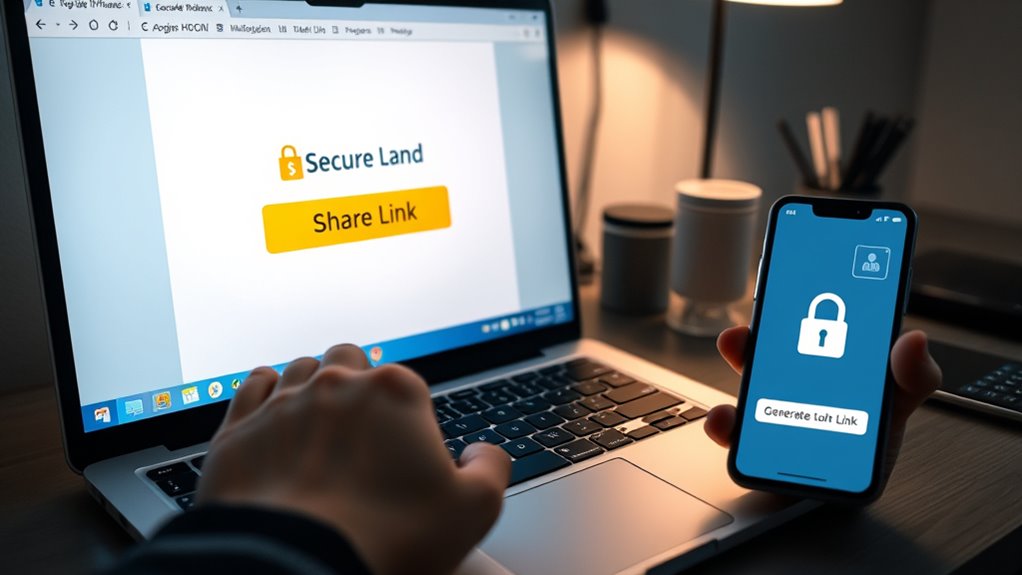
Sharing files securely is vital in today’s digital world, especially when using link-based methods. When you send a link to share sensitive information, you need to guarantee that only authorized recipients can access the content. This is where end-to-end encryption becomes indispensable. With end-to-end encryption, your files are encrypted on your device and decrypted only on the recipient’s device. This means that even if someone intercepts the link or the data during transmission, they won’t be able to read the contents. It guarantees that your information stays private from the moment you send it until your recipient opens it. Combining end-to-end encryption with robust access control measures provides a strong layer of security. Access control lets you decide who can view, edit, or download your shared files. You can set permissions for individual users, revoke access when needed, or require authentication before granting entry. This way, you’re not just relying on the security of the link itself but actively managing who can see your data.
When sharing links, you should always look for options that include these security features. A simple link without access restrictions could be accessed by anyone who manages to find or guess it, risking data leaks. But with proper access control, you can generate links that expire after a certain period or limit the number of downloads. These features give you granular control over your shared content, helping you avoid accidental data exposure. It’s also advisable to enable two-factor authentication if available. This adds an extra step for recipients to verify their identity before accessing the files, further reducing the chance of unauthorized access. Additionally, choosing platforms that utilize encryption software or hardware ensures your data remains protected both during transmission and at rest, reducing vulnerabilities.
Another aspect to consider is whether the platform encrypts files both in transit and at rest. Even if the link is secure, outdated or insecure storage methods can become vulnerabilities. Consequently, choose services that prioritize end-to-end encryption and strict access control policies. Remember, sharing sensitive files isn’t just about sending a link; it’s about guaranteeing that only the right people can access your data, and that your information remains protected throughout the process. By combining these security practices, you’ll greatly reduce risks and maintain control over your shared files, giving you peace of mind in today’s interconnected world.
end-to-end encrypted file sharing service
As an affiliate, we earn on qualifying purchases.
As an affiliate, we earn on qualifying purchases.
Frequently Asked Questions
Can Link Expiration Be Customized for Shared Files?
Yes, you can customize link expiration for shared files. With link customization, you have control over expiration settings, allowing you to set specific time frames or access limits. This guarantees your files stay secure after the designated period. You simply choose your preferred expiration settings when creating the link, giving you flexibility and peace of mind, knowing that your shared files won’t remain accessible indefinitely.
What Are the Best Practices for Password Protection?
Imagine your files are treasures guarded by a fortress. To keep them safe, you should use strong password encryption and implement strict access controls. Always choose complex, unique passwords, and change them regularly. Enable two-factor authentication when possible. Limit sharing to trusted individuals, and monitor access logs for suspicious activity. These practices act like an unbreakable shield, ensuring only authorized eyes see your valuable information.
How Do I Revoke Access to Shared Links?
To revoke access to shared links, you should implement link revocation strategies aligned with your access control policies. First, disable or delete the shared link through your file sharing platform’s settings. Next, update your access control policies to restrict further access. Regularly review shared links and revoke those that are no longer needed. This proactive approach helps guarantee your files stay secure and access remains tightly controlled.
Are There Legal Considerations for Sharing Confidential Files?
Did you know that 90% of companies face legal issues from mishandling confidential data? When sharing files, you must consider legal compliance and confidentiality agreements. Make sure you understand privacy laws relevant to your region and industry, and always get proper authorization. Failing to do so can lead to legal penalties or breaches of trust. Protect yourself by staying informed and adhering to all legal and contractual obligations when sharing sensitive information.
How Is User Activity Monitored During File Sharing?
During file sharing, user activity is tracked through activity monitoring tools that log actions like downloads, views, and access times. You’ll see user tracking in real-time dashboards, which alert you to any suspicious activity. These tools help guarantee security, compliance, and accountability by providing detailed records of user behavior, so you can quickly identify unauthorized access or data breaches and maintain control over your shared files.
secure file sharing platform with access controls
As an affiliate, we earn on qualifying purchases.
As an affiliate, we earn on qualifying purchases.
Conclusion
Don’t let concerns about security stop you from sharing files easily. With encrypted links and access controls, you can confidently send sensitive information without worry. Plus, many platforms offer expiration dates and password protection, adding extra layers of safety. So, even if you think sharing files openly is risky, modern link-based sharing tools make it safe, simple, and convenient. Give them a try—you’ll see how they streamline your workflow while keeping your data secure.
file sharing links with expiration and download limits
As an affiliate, we earn on qualifying purchases.
As an affiliate, we earn on qualifying purchases.

Business Cybersecurity for Entrepreneurs & Freelancers: How to Secure Customer Data, Email, Payments, and Your Online Business from Cyber Threats (Cyber Shield Academy)
As an affiliate, we earn on qualifying purchases.
As an affiliate, we earn on qualifying purchases.