
Using reader modes and save-for-later features helps you focus on content without distractions like ads or pop-ups, making it easier to absorb information fully instead of skimming. With customizable layouts, adjustable fonts, and high-contrast options, you can tailor your experience for comfort and longer engagement. Cloud sync guarantees your preferences and stored content are accessible across devices. Keep exploring to discover how these tools can transform your digital experience into a more immersive and efficient journey.
Key Takeaways
- Reader modes remove clutter and distractions, enabling deeper focus for longer, more meaningful reading sessions.
- Customizable display options in reader modes reduce eye strain and improve comfort, encouraging extended reading.
- Save-for-later features help organize and retain content for future in-depth reading, preventing rushing through material.
- Cloud synchronization across devices ensures seamless access to personalized reading settings and saved content.
- Accessibility options like adjustable fonts and text-to-speech promote inclusive, focused reading experiences.
The Rise of Reader Mode Technologies

Reader mode technologies have rapidly gained popularity as digital platforms seek to improve the reading experience by minimizing distractions. You’ll notice how these features strip away ads, sidebars, and clutter, leaving only the essential text. This clean layout helps you focus and reduces eye strain, especially during long reading sessions. Many platforms let you customize how content appears, adjusting font size, style, and contrast to suit your needs. Cloud-based synchronization ensures your saved articles or books are accessible across all your devices, making it easy to pick up where you left off. Accessibility features, such as text-to-speech and adjustable fonts, cater to diverse reading preferences and needs. Additionally, reader preferences can be saved and tailored to individual users, enhancing overall comfort and usability. These innovations make digital reading more comfortable, efficient, and tailored to individual users. Moreover, content customization options promote inclusivity for users with different visual and cognitive requirements, further improving the overall reading experience. Incorporating user-centric design principles ensures that reader modes accommodate a wide range of accessibility needs and personal preferences. As a result, these technologies can also support digital literacy by making content more approachable for all readers. Furthermore, implementing privacy considerations, such as cookie management and data security, ensures that users can enjoy these features while maintaining control over their personal information.
Enhancing Focus With Distraction-Free Layouts

Distraction-free layouts are designed to help you concentrate on the content without interruptions. They remove ads, sidebars, and other visual clutter, presenting a clean, simplified reading environment. This minimizes distractions and enables you to focus solely on the text. Personalized reading environments further enhance comfort by allowing adjustments to font size, line spacing, and background color, reducing eye strain and making reading more comfortable. Many reader modes also eliminate notifications and pop-ups, creating a seamless flow from start to finish. With a distraction-free layout, you can dive deeper into your material without constantly shifting your attention. This focused environment helps you retain information better, enhances comprehension, and makes reading more enjoyable, especially during long sessions or complex texts. Additionally, detecting passive voice can improve clarity and engagement in your writing. Recognizing and reducing narcissistic traits in your own writing can help make your communication more effective and relatable. Understanding how to manage retail hours can also assist you in planning your reading or shopping trips more effectively, ensuring you visit stores at optimal times. Incorporating user preferences into your reading setup can further tailor the experience to your individual needs.
The Benefits of Save-for-Later Features
Save-for-later features offer a practical solution for managing your digital reading habits by allowing you to bookmark and store articles, ebooks, and other content for future enjoyment. Instead of rushing through articles or losing track of interesting pieces, you can save them instantly and revisit when you have more time. This helps you build a personalized reading library tailored to your interests, making it easier to organize and access your favorite content. Plus, many save-for-later tools sync across devices, so you can pick up right where you left off whether you’re on your phone, tablet, or computer. It reduces clutter in your browser or app, ensuring a smoother, more focused reading experience. Overall, these features help you read more efficiently and enjoy content without interruption. Incorporating content organization techniques can further enhance your ability to manage and access saved materials effectively. Additionally, integrating efficient content management practices can streamline your reading process and improve long-term accessibility, similar to how proper application timing in skincare can optimize results.
Cloud Synchronization and Multi-Device Accessibility

With your saved content accessible across multiple devices, you can pick up right where you left off, no matter which platform you’re using. Cloud synchronization guarantees your bookmarks, highlights, and articles update instantly across smartphones, tablets, laptops, and e-readers. This seamless transfer means you don’t waste time searching for your place or manually syncing files. Instead, your reading progress, notes, and preferences stay consistent, creating a smooth experience whether you’re at home, commuting, or in class. Multi-device accessibility empowers you to stay productive and engaged without interruption. It also enables you to customize your reading environment—adjust fonts or contrast on one device and see those changes reflected everywhere. This interconnected system makes digital reading more flexible, efficient, and enjoyable. Additionally, understanding juice cleansing and its effects can help you make informed decisions about your health and wellness routines. Incorporating mindfulness practices from yoga can further enhance your ability to focus and relax during reading sessions. Moreover, adopting cloud-based storage enhances your ability to manage and organize your digital content effectively across all your devices. Being aware of pinball machine adjustments, such as optimal angles, can also contribute to a better gaming experience, whether in casual or competitive settings. Implementing advanced fraud detection techniques in your digital reading tools can also help protect your personal information from potential threats.
Accessibility Options for Diverse Readers
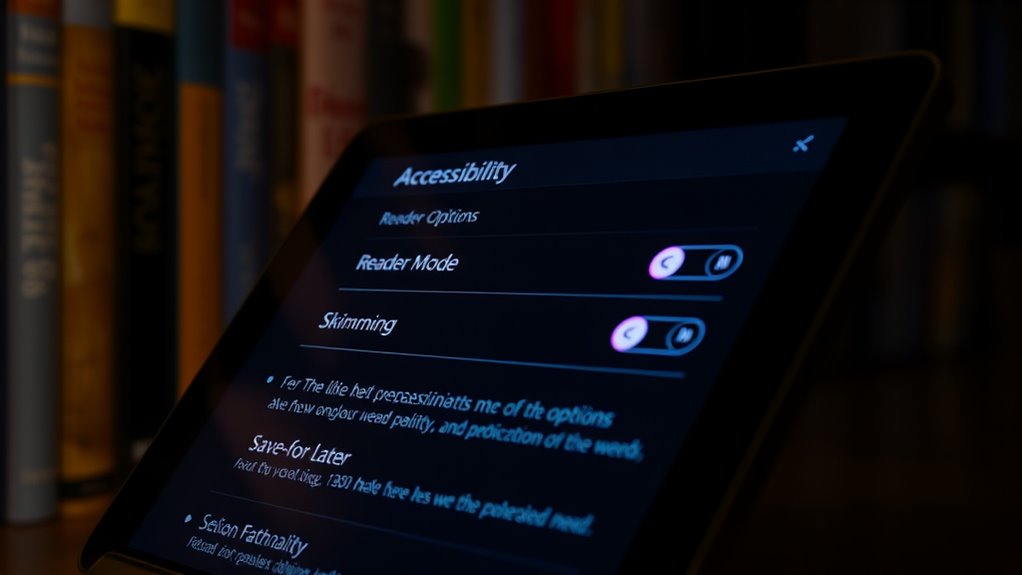
You can customize your reading experience with adjustable font sizes, making it easier to read comfortably. High-contrast display modes help those with visual impairments see text clearly, reducing strain. Text-to-speech features further support diverse needs by converting written content into audio, so everyone can access information easily. Incorporating Accessibility Features can also make your reading more engaging and uplifting.
Customizable Font Sizes
Customizable font sizes are a vital accessibility feature in digital reading platforms, allowing you to adjust text to your individual needs. Whether you have visual impairments or prefer larger text for comfort, this feature guarantees a more inclusive experience. By increasing or decreasing font size, you can reduce eye strain and make reading easier without zooming or changing device settings. Many platforms also remember your preferred size for future sessions, providing continuity. This flexibility helps users of all ages and visual capabilities engage more comfortably with content.
- Enables tailored reading experiences for diverse visual needs
- Reduces eye strain during prolonged reading sessions
- Improves readability for users with visual impairments
- Supports seamless, long-term customization across devices
High-Contrast Display Modes
High-contrast display modes enhance readability by increasing the difference between text and background colors, making content easier to see for users with visual impairments or light sensitivity. By switching to these modes, you reduce eye strain and improve focus, especially in bright or low-light environments. You can customize contrast settings to suit your needs, ensuring that text stands out clearly without glare or flicker. High-contrast modes are often accessible through quick settings or keyboard shortcuts, so you can toggle them seamlessly while browsing. They work well across devices, from smartphones to desktop computers. These options empower you to create a comfortable reading experience, allowing you to engage with content longer and more comfortably, regardless of your visual preferences or sensitivities. Additionally, adjusting display modes can help mitigate issues related to visual impairments, making digital content more accessible for everyone. Incorporating accessible design principles into your digital habits ensures an inclusive experience for all users. For example, some automation technologies are designed to adapt display settings automatically based on user preferences, which further enhances user accessibility and supports diverse needs. Moreover, utilizing high-contrast modes can also support users with cognitive disabilities by simplifying visual complexity and reducing distractions.
Text-to-Speech Features
Text-to-speech (TTS) features have become essential accessibility tools within reader modes, allowing you to listen to written content instead of reading visually. These features help users with visual impairments, learning differences, or those multitasking. TTS can be customized with adjustable speech speed, voice selection, and highlighting synced with narration, making content more accessible.
- Supports multiple languages and regional accents
- Enhances comprehension for auditory learners
- Enables hands-free reading on mobile devices
- Integrates seamlessly with other accessibility tools
Impact on Digital Reading Habits
Reader modes and save-for-later features change how you consume digital content by helping you focus and understand material better. They encourage on-demand reading, making it easier to access and revisit articles or books whenever you want. As a result, your reading habits become more flexible and tailored to your schedule.
Enhanced Focus and Comprehension
Enhanced focus and comprehension are critical benefits of digital reading tools, especially as reader modes strip away distractions like ads and sidebars. When you activate these modes, you create a clean, text-focused environment that helps you concentrate better on the material. This streamlined layout reduces cognitive overload, making it easier to absorb complex ideas and details. As a result, your reading becomes more efficient and meaningful.
- Eliminates visual clutter that distracts your attention
- Supports sustained concentration over longer periods
- Enhances understanding through clearer, larger fonts
- Allows customization for individual reading needs and preferences
Shift Toward On-Demand Reading
As digital reading tools improve, more users are shifting toward on-demand reading, where content is accessed precisely when needed rather than in fixed sessions. This change enhances flexibility and allows you to fit reading into busy schedules. You can quickly retrieve specific articles, chapters, or snippets without committing to lengthy sessions. Save-for-later features and reader modes support this shift by organizing content for easy access. These tools also enable you to customize your reading experience, making on-demand reading more efficient and engaging.
| Concept | Benefit |
|---|---|
| Instant Access | Read content exactly when required |
| Bookmarking | Save materials for quick future reference |
| Customization | Adjust fonts, contrast, and layout |
| Synchronization | Access saved content across devices |
| Distraction-Free | Focus solely on the text needed |
Device Compatibility and Hardware Innovations

Device compatibility has become a key factor in shaping digital reading experiences, as a wide range of hardware options cater to different user preferences and needs. Whether you prefer e-readers, tablets, smartphones, or laptops, each device offers unique benefits for content consumption. Innovations like wearable e-readers with dual E-Ink screens aim to improve comfort and readability. Manufacturers are challenged to develop devices with longer battery life, high-resolution displays, and features that reduce eye strain. The market’s saturation pushes brands to differentiate through advanced functionalities and seamless integration. Universal design principles now encourage collaboration among manufacturers, promoting more inclusive and adaptable solutions for all users.
Device compatibility drives innovation in digital reading, emphasizing accessibility, longer battery life, and seamless multi-device integration.
- Support for multiple device types and platforms
- Enhanced battery life for prolonged reading
- Graphics-rich displays reducing eye fatigue
- Focus on universal accessibility features
Popular Content Types and Genre Trends

Have you noticed which types of digital content are most popular among readers today? You’ll see that comic books, graphic novels, humor, fantasy, and biographies dominate ebook checkouts, especially in K-12 settings. Audiobooks follow a steady trend, with humor, fantasy, and mystery leading regional preferences. Digital magazines are experiencing a surge, with a 91% increase over last year, reflecting growing interest in periodicals. Younger readers tend to prefer visual and narrative-driven formats across genres. Texas, California, New York, and Wisconsin lead in ebook and audiobook checkouts, showing regional variations. Overall, content preferences reveal a shift toward engaging, visually rich, and story-focused formats, making digital reading more immersive and diverse. This trend underscores the importance of versatile reader modes to access these popular content types effectively.
Future Developments in Digital Reading

Future developments in digital reading are poised to transform how you access and engage with content through innovative technologies like generative AI, virtual reality, and holography. These advancements will create immersive, personalized experiences that adapt to your preferences and learning styles. Expect AI to curate and generate tailored reading material, enhancing your engagement. Virtual reality will bring stories to life, offering interactive environments that deepen understanding. Holographic displays could enable you to view books in 3D space, making reading more dynamic.
- Personalized content through AI customization
- Immersive, multi-sensory reading environments
- Real-time collaboration on shared materials
- Holographic and augmented reality book presentations
Frequently Asked Questions
How Secure Is My Saved Content Across Different Devices?
Your saved content stays secure across devices thanks to cloud-based systems that synchronize data securely. These platforms use encryption to protect your information during transfer and storage. When you access your saved items, they’re stored locally or in the cloud, depending on your settings. To keep your content safe, always use strong passwords, enable two-factor authentication, and keep your device software up to date.
Can Reader Modes Support Interactive or Multimedia Content Effectively?
Imagine trying to enjoy a multimedia-rich article in a quiet library, but the reader mode feels like a soundproof booth—great for text, but limited for interactive content. Reader modes often struggle with multimedia elements like videos, animations, or interactive quizzes, which can become just static images or links. While some platforms are improving, most still prioritize clean text over complex interactivity, making multimedia support inconsistent and sometimes frustrating.
Are There Costs Associated With Premium Reader Mode or Save-For-Later Features?
Yes, premium reader mode or save-for-later features often come with costs. You might pay a subscription fee, purchase a one-time upgrade, or access certain features through in-app purchases. These costs help developers maintain and improve the services, add advanced customization options, or provide ad-free experiences. Be sure to check the app’s pricing details before committing, so you understand what features are free and which require payment.
How Do Accessibility Options Vary Between Platforms and Devices?
You’ll find accessibility options vary widely between platforms and devices. Some platforms offer adjustable font sizes, high-contrast modes, and text-to-speech features, while others may have limited options. On smartphones and tablets, you often get more customization through built-in accessibility settings. E-readers and desktops might provide additional tools like screen magnification or speech synthesis. Always check each device’s settings to tailor your reading experience to your needs.
Will Future Updates Improve Offline Reading Capabilities?
Future updates will turn offline reading into a well-oiled machine, making it more seamless and reliable. You’ll find it easier to download and store content for later, even without internet access. Expect smarter sync features, faster downloads, and enhanced storage options that keep your reading journey smooth as silk. As technology advances, offline reading will become a fortress of convenience, empowering you to enjoy your favorite materials anytime, anywhere.
Conclusion
As reader modes and save-for-later tools transform your digital experience, you might find yourself drifting from cluttered distractions to serene, focused reading spaces. Imagine a world where your device becomes a quiet sanctuary, free from chaos, yet connected across all your screens. Embrace these innovations, and you’ll navigate the digital landscape with clarity and ease—like turning a chaotic storm into a calm, open sea, inviting you to explore deeper, more meaningful stories.