
To go paperless with scanning, OCR, and secure storage, you can digitize all documents using high-quality scanners and AI-driven OCR technology that accurately captures data and categorizes files automatically. Secure cloud storage with encryption, access controls, and regular backups helps protect sensitive information. This progression reduces paper costs, speeds up workflows, and boosts compliance. If you want to explore how these tools work together seamlessly, there’s much more to discover below.
Key Takeaways
- Implement digital scanning combined with OCR technology to automatically recognize and categorize documents, reducing manual input.
- Use secure, encrypted digital storage solutions with access controls and multi-factor authentication to protect sensitive data.
- Incorporate AI-driven recognition and electronic signatures for faster, compliant, and remote document processing.
- Establish clear document management policies for retention, disposal, and security to ensure regulatory compliance.
- Promote staff training and awareness to foster a secure, paperless environment with ongoing monitoring and updates.

ScanSnap iX2500 Wireless or USB High-Speed Cloud Enabled Document, Photo & Receipt Scanner with Large 5" Touchscreen and 100 Page Auto Document Feeder for Mac or PC, Black
OUR MOST ADVANCED SCANSNAP. Large touchscreen, fast 45ppm double-sided scanning, 100-sheet document feeder, Wi-Fi and USB connectivity, automatic…
As an affiliate, we earn on qualifying purchases.
As an affiliate, we earn on qualifying purchases.
The Evolution of Document Digitization and Management

The evolution of document digitization and management has transformed how organizations handle information, shifting from traditional paper-based workflows to fully digital systems. You now process and store documents electronically, reducing reliance on physical files and streamlining operations. Early methods involved simply scanning paper documents, but today’s systems integrate advanced technologies like OCR and AI to automate data extraction and classification. Digital document management systems enable quick retrieval, version control, and secure access, enhancing collaboration and compliance. Despite predictions of paperless offices, paper remains part of daily workflows, but its role diminishes as organizations adopt all-encompassing digital solutions. This progression improves efficiency, reduces costs, and supports remote work, marking a fundamental shift in how businesses manage information over the past decades. Incorporating vetted solutions ensures safety, effectiveness, and compliance in digital document processes. Additionally, the adoption of digital transformation strategies accelerates the transition to fully digital workflows, making organizations more agile and competitive. Moreover, the continued use of paper-based methods persists in certain sectors, highlighting the importance of integrated document management systems to bridge the gap between traditional and digital approaches. Furthermore, understanding blockchain technology can enhance data security and integrity in digital records, offering an additional layer of protection for sensitive information. As technology advances, implementing automated indexing can further streamline document retrieval and management.
Confidentiality Techniques for Securing Data in Public Cloud Storage: A Comparative Study of Encryption and Obfuscation Models for Secure Cloud Data Management
As an affiliate, we earn on qualifying purchases.
As an affiliate, we earn on qualifying purchases.
Leveraging AI for Smarter Document Recognition

Artificial intelligence has revolutionized document recognition by enabling systems to automatically interpret, categorize, and extract data from diverse document types with minimal human intervention. You can now process invoices, contracts, and reports faster and more accurately. AI-powered tools analyze content, identify key data, and classify documents seamlessly. These systems learn from patterns, improving recognition accuracy over time. To visualize, consider this comparison:
| Traditional OCR | AI-Enhanced Recognition |
|---|---|
| Manual data entry | Automated data extraction |
| Limited accuracy | Continuous learning improves results |
| Time-consuming | Rapid processing |
This technology reduces errors, saves time, and enhances compliance, making your digital document management smarter and more efficient. Incorporating cybersecurity measures ensures that sensitive data remains protected throughout this automated workflow.

PenPower ePaper SignPad – e-Signature on MS Word, PDF, JPG and PNG with timestamp
Instant E-Signatures, One Click Away – Seamlessly send your handwritten signature to your computer with just one tap….
As an affiliate, we earn on qualifying purchases.
As an affiliate, we earn on qualifying purchases.
Transitioning to Electronic Signatures and Remote Transactions

As more organizations embrace digital workflows, shifting to electronic signatures has become essential for enabling secure, remote transactions. Electronic signatures streamline approval processes, eliminating the need for physical signatures and reducing delays. You can sign documents from anywhere using secure digital platforms, which often include encryption and authentication measures to protect your identity and the integrity of the document. These solutions integrate seamlessly with document management systems, making workflows faster and more efficient. Remote transactions become simpler, allowing you to approve contracts, invoices, or agreements without in-person meetings or paper exchanges. This shift not only accelerates business operations but also enhances security and compliance, ensuring that your digital signatures hold the same legal weight as traditional handwritten ones. Advanced Techniques continue to improve the security features of digital signing platforms, further boosting trust and reliability in remote transactions.

CZUR Aura Pro Book & Document Scanner,Capture A3 & A4, Auto-Flatten & Deskew Powered by AI Technology, Foldable & Portable, Compatible with Windows & Mac OS
Compatibility: Work with macOS 10.13 or later AND Windows XP/7/8/10/11
As an affiliate, we earn on qualifying purchases.
As an affiliate, we earn on qualifying purchases.
Ensuring Data Security in Cloud Storage Solutions

Ensuring data security in cloud storage solutions is critical as organizations increasingly rely on remote access and centralized digital repositories. You need strong safeguards to protect sensitive information from cyber threats and unauthorized access. Use encryption both during data transmission and at rest to keep your files secure. Implement access controls and multi-factor authentication to restrict data to authorized users. Regularly audit your system for vulnerabilities and update security protocols accordingly. To make it easier, consider this comparison:
| Security Measure | Benefit |
|---|---|
| Data Encryption | Protects data from breaches |
| Multi-Factor Authentication | Adds an extra security layer |
| Regular Security Audits | Identifies vulnerabilities early |
Furthermore, understanding the potential pitfalls in adopting new payment technologies can help organizations better prepare their security measures against emerging threats. Staying vigilant ensures your data remains safe in the cloud. Data security is an ongoing process that requires continuous monitoring and improvement to adapt to emerging threats. Incorporating encryption protocols into your security strategy enhances protection even further. Additionally, leveraging AI detection methods can help identify unusual activities and potential breaches more effectively. Recognizing the importance of Personality Test compatibility can also assist organizations in tailoring security policies to diverse user needs.
Financial Impacts and Cost Savings of Going Paperless
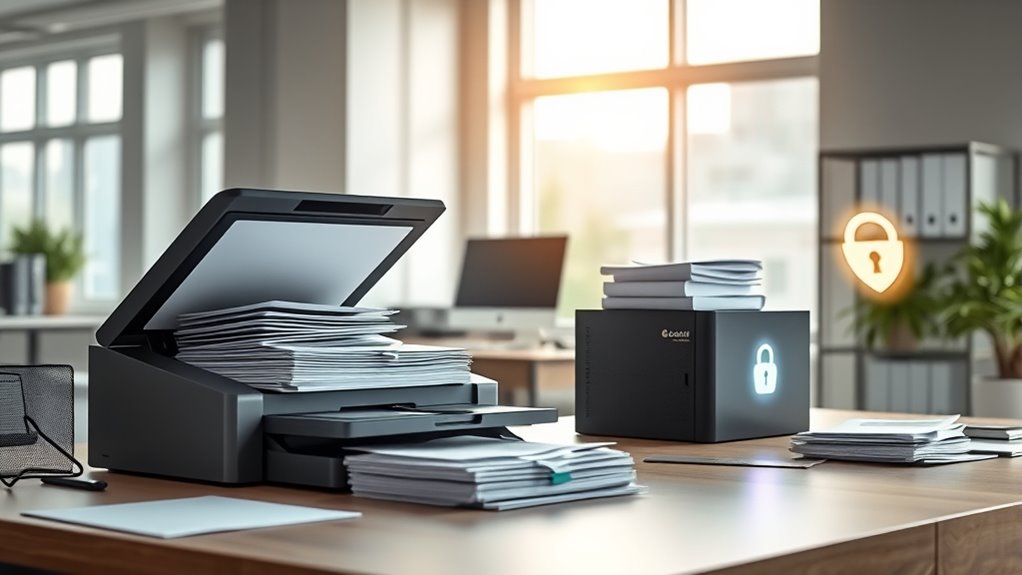
Switching to digital documentation can substantially cut your paper management costs, which average around $20 per document over its lifecycle. You’ll also save up to $30 per invoice processed with electronic invoicing, boosting your bottom line. Over time, these savings accumulate, offering long-term financial benefits that make going paperless a smart investment.
Reduced Paper Management Costs
Reducing paper management costs is one of the most immediate financial benefits of shifting to a paperless office. You can save considerably by cutting expenses related to printing, filing, storing, and disposing of paper documents. Managing each paper file costs around $20 throughout its lifecycle, so eliminating or reducing paper drastically lowers these expenses. Digital workflows minimize the need for physical storage space and manual handling, saving time and labor costs. Automated processes streamline approvals, document routing, and retrieval, further reducing overhead. With digital solutions, you avoid costs associated with physical materials, such as toner, paper, and storage furniture. Additionally, understanding production quantity variance can help organizations optimize digital workflows and resource allocation, leading to further cost savings. Implementing secure digital storage solutions ensures the protection of sensitive information and compliance with data regulations. Incorporating efficient organization strategies can further enhance cost savings by reducing time spent searching for documents. Overall, switching to digital documentation helps your organization cut expenses, improve efficiency, and allocate resources more effectively.
Savings From Digital Invoicing
Digital invoicing can considerably cut costs, saving your organization up to $30 per invoice compared to traditional paper methods. This substantial saving results from eliminating expenses related to printing, mailing, and manual processing. By shifting to electronic invoices, you reduce paper and ink expenses, decrease postal fees, and streamline approval workflows. Automated invoicing systems also minimize errors, reducing costly rework and disputes. Additionally, digital invoices enable faster processing, improving cash flow and reducing days sales outstanding (DSO). Over time, these savings compound, markedly lowering operational costs. Plus, digital invoicing supports compliance and audit readiness, reducing risks associated with paper documentation. Recognizing the importance of proper record management can further enhance the efficiency and security of your digital financial processes. Implementing secure storage solutions ensures sensitive financial data remains protected from unauthorized access. Understanding energy monitoring features helps organizations identify areas where digital processes can be optimized for additional savings. Moreover, integrating cloud-based systems can facilitate seamless access and collaboration across departments. Additionally, leveraging analytical insights from data collected through digital invoicing can help organizations make more informed financial decisions. Overall, embracing electronic invoicing delivers immediate financial benefits and positions your organization for more efficient, cost-effective financial management.
Long-term Financial Benefits
The initial savings from digital invoicing and automation set the stage for substantial long-term financial benefits. Over time, your organization can drastically cut costs associated with paper handling, storage, and manual processes. For example, automating workflows reduces overhead expenses and minimizes errors. Consider the table below, which highlights potential savings per document:
| Cost Aspect | Traditional Method | Digital Method |
|---|---|---|
| Paper & Printing | $20 per document | $0 |
| Storage & Filing | $15 per document | $0.50 per document |
| Manual Processing | $10 per document | $2 per document |
Additionally, reducing reliance on physical documentation can enhance Data Security and protect sensitive information from loss or theft. Implementing digital solutions also promotes environmental sustainability by decreasing paper waste and conserving resources.
Overcoming Employee Resistance and Cultivating Digital Adoption

Overcoming employee resistance is essential for successful digital adoption in paperless initiatives. Employees may feel uneasy about changing familiar workflows or worry about job security. To address this, you need clear communication that explains the benefits of digital tools, such as easier access to documents and increased efficiency. Providing thorough training helps employees build confidence and reduces frustration. Involving staff early in the process fosters ownership and minimizes resistance. Highlight success stories and demonstrate how digital systems can make their tasks easier, not replace them. Additionally, offering ongoing support and addressing concerns promptly encourages a positive attitude toward change. By actively engaging your team, you create a culture that values innovation and smoothly *progresses* toward a paperless environment. Utilizing effective networking strategies can also open new opportunities and foster collaboration during this transition.
Industry Trends and Market Growth in Digital Office Systems

Industry trends in digital office systems are driving rapid growth across multiple sectors as organizations increasingly adopt cloud-based solutions and intelligent document management tools. You’ll notice a surge in demand for automation, AI integration, and secure storage, which streamline workflows and reduce reliance on paper. Market estimates show the global paperless office system industry reaching $15 billion in 2025, with a compound annual growth rate of over 12%. This expansion is fueled by the need for better data security, compliance, and remote collaboration. Key segments include mobile and computer terminals, supporting sectors like government, education, and enterprise. As digital transformation accelerates, organizations that embrace these trends will gain competitive advantages through increased efficiency, cost savings, and enhanced accessibility.
Practical Steps to Achieve a Fully Paperless Workplace
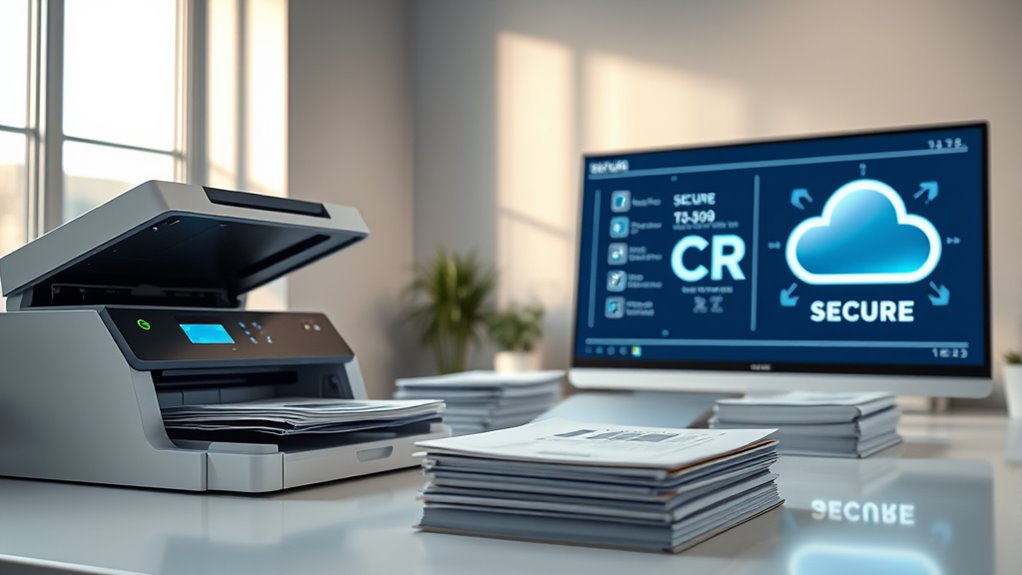
To go paperless, start by digitizing all incoming documents such as mail, invoices, and contracts, and guarantee they are properly organized in a digital system. Implement OCR technology to automatically recognize and categorize these documents, making retrieval and processing faster. Finally, store everything securely in digital storage solutions that protect your data while providing easy access for authorized users.
Digitize Incoming Documents
Are you ready to transform your incoming documents into a seamless digital flow? Begin by establishing a clear process for handling all paper documents, such as mail, invoices, and contracts. Assign designated staff or automated systems to collect and prioritize incoming items. Use high-quality scanners to capture documents quickly and accurately, ensuring clarity for future use. Develop organized naming conventions and folder structures within your digital management system to facilitate easy retrieval. Set deadlines for scanning and filing, and integrate these tasks into daily workflows. Consistency is key—regularly review and update your procedures to prevent backlog and errors. By efficiently digitizing incoming documents, you lay a solid foundation for a fully paperless environment, reducing clutter and streamlining operations.
Implement OCR Technology
Wondering how to make your digital documents truly searchable and easily retrievable? Implementing OCR technology is the key. First, choose a reliable OCR software compatible with your scanning tools and document management system. Guarantee it supports your document formats and languages for maximum accuracy. Next, integrate OCR into your scanning workflow, so every physical document is automatically converted during digitization. Regularly update your OCR software to leverage improvements in AI and machine learning, which enhance recognition accuracy over time. Test the system with different document types to fine-tune settings. Train your staff on how to use OCR features effectively, emphasizing the importance of quality scans for better results. With OCR in place, your digital files become instantly searchable, saving time and improving organization.
Secure Digital Storage
Implementing secure digital storage is a critical step toward achieving a fully paperless workplace. To do this effectively, choose cloud-based or on-premises Enterprise Content Management (ECM) systems that prioritize security features like access controls, encryption, and audit trails. Guarantee your storage solutions comply with industry standards and regulations to protect sensitive data. Regularly update security protocols and conduct employee training on data privacy best practices. Use multi-factor authentication and role-based permissions to restrict access. Back up data consistently to prevent loss from hardware failures or cyberattacks. Establish clear policies for document retention and disposal. By combining strong security measures with user awareness, you safeguard your digital assets and create a reliable, accessible, and compliant storage environment for your organization.
Frequently Asked Questions
How Do Small Businesses Afford the Initial Costs of Digital Transition?
You can afford the initial costs of digital transformation by starting small and prioritizing essential tools. Look for affordable or scalable solutions like cloud storage, free or low-cost OCR software, and automation tools that reduce manual work. Consider seeking grants, subsidies, or financing options designed for small businesses. Gradually invest in necessary equipment and training, showing ROI quickly to justify further expenses and ease the financial burden.
What Are the Best Practices for Training Employees on New Digital Tools?
To train employees effectively on new digital tools, start with clear, hands-on demonstrations that show practical benefits. Encourage questions and offer ongoing support to build confidence. Use thorough training sessions and easily accessible resources like guides or videos. Foster a culture of learning by recognizing progress and providing feedback. Keep training flexible to accommodate different learning styles, ensuring everyone feels comfortable and motivated to adopt the new systems.
How Can Organizations Ensure Compliance With Data Privacy Laws Online?
You want to stay ahead of data privacy laws online, right? First, you must understand the specific regulations affecting your industry and region. Then, implement strong security measures like encryption, access controls, and regular audits. Train your staff on best practices and keep policies updated. By proactively managing your data security and fostering a culture of compliance, you’ll avoid costly penalties and protect your reputation—plus, gain customer trust along the way.
What Are Common Challenges Faced During Enterprise-Wide Digital Transformation?
During your enterprise-wide digital transformation, you’ll face challenges like employee resistance to change, which can slow adoption. You might struggle with high implementation costs and integrating new systems with existing workflows. Ensuring data security and compliance also requires ongoing effort, as cyber threats evolve. Additionally, providing adequate training and upgrading equipment are vital to smooth shifts, helping your team embrace new digital processes and maximize their benefits.
How Do Digital Systems Handle Long-Term Document Retention Requirements?
Think of your digital storage as a well-guarded library that preserves every book, no matter how ancient. Your system handles long-term retention by applying robust access controls, encryption, and audit trails, ensuring compliance and security. For example, many organizations retain records for decades, trusting their ECM or cloud solutions to keep documents safe and accessible. This way, your digital archive remains reliable, organized, and ready whenever you need it.
Conclusion
Switching to a paperless office isn’t just eco-friendly—it can cut your document management costs by up to 30%. Embrace tools like OCR and secure cloud storage to streamline processes and boost productivity. As industry growth reaches over 20% annually, now’s the time to adopt digital solutions. By overcoming resistance and implementing smart strategies, you’ll create a more efficient, secure workspace that’s ready for the future. The digital revolution is here—are you ready to join it?