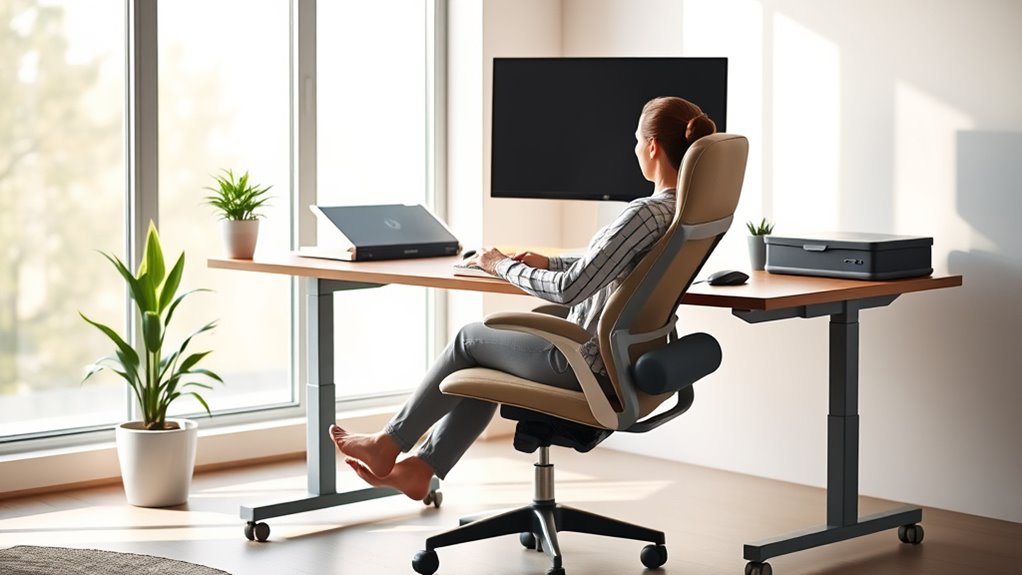

To maintain healthy ergonomics at your desk, make certain your chair supports your lower back and keeps your feet flat on the floor, with knees at a right angle. Position your monitor at eye level and keep your keyboard and mouse close to avoid stretching. Take regular breaks to stretch and adjust your posture, using ergonomic accessories like adjustable stands or document holders. Continuing to optimize your workspace helps you stay comfortable and prevent long-term strain.
Key Takeaways
- Support proper posture by adjusting chair height, backrest, and monitor to maintain natural spine alignment.
- Keep feet flat on the floor or footrest, with knees at approximately 90° for optimal lower body support.
- Position keyboard and mouse close to avoid stretching, with elbows bent at around 90° and wrists in a neutral position.
- Take regular breaks every 30-60 minutes to stretch and move, reducing stiffness and strain.
- Use ergonomic accessories like adjustable monitor stands, keyboard trays, and document holders to promote proper ergonomics.
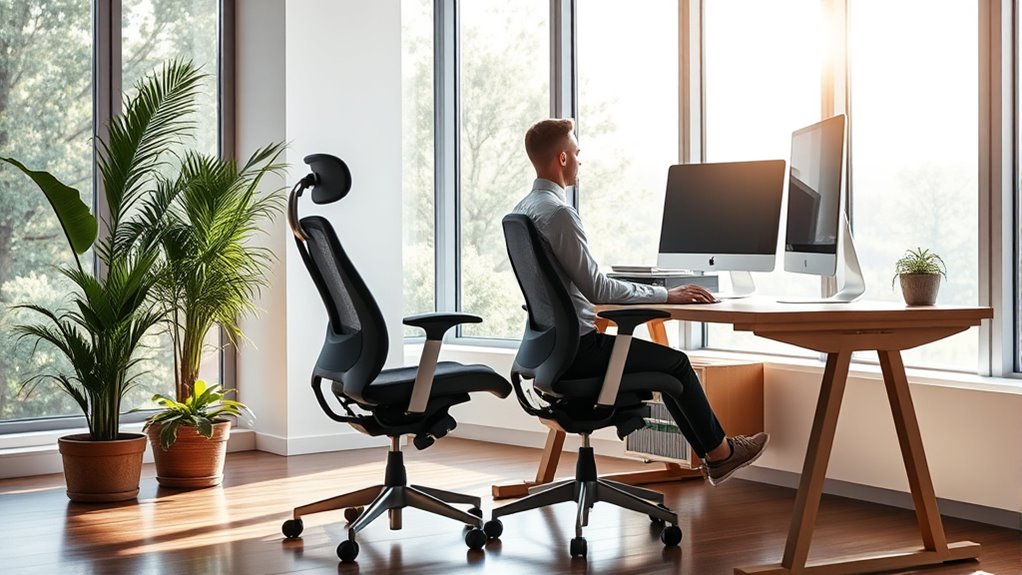
Maintaining proper ergonomics at your desk is essential for preventing discomfort and long-term health issues. When you focus on correct posture guidelines, you reduce the risk of aches, strains, and repetitive stress injuries. Start by ensuring your chair supports your lower back, promoting a natural curve. Your feet should rest flat on the floor or on a footrest, with knees bent at about a 90-degree angle. Keep your hips slightly higher than your knees to promote proper alignment. Position your keyboard and mouse close enough that you don’t have to stretch forward, which can strain your shoulders and wrists. Your elbows should stay close to your sides, bent at roughly 90 degrees, and your wrists should be in a neutral position—not bent up or down. When you follow these posture guidelines, you create a comfortable workspace that minimizes unnecessary tension. Incorporating ergonomic accessories can make a significant difference in maintaining a healthy setup. For example, adjustable monitor stands or arms help position your screen at eye level, preventing neck strain from looking down or up for extended periods. A keyboard tray that allows you to keep your wrists straight helps avoid repetitive strain injuries like carpal tunnel syndrome. An ergonomic mouse, designed to fit comfortably in your hand, reduces the risk of wrist and arm fatigue. If your desk setup requires it, consider using a document holder to keep papers at eye level, preventing constant neck movements. These accessories aren’t just luxury items; they’re essential tools that help reinforce good posture guidelines and support your body in maintaining proper alignment throughout the day. It’s also important to take regular breaks, stretch, and change positions frequently. Sitting in the same posture for too long can lead to stiffness and discomfort, no matter how well your workspace is arranged. Every 30 to 60 minutes, stand up, stretch your arms, neck, and legs, and reset your position. Use ergonomic accessories to facilitate these movements and ensure your workspace adapts to your needs. Adjust your chair height, monitor position, and accessory placement as necessary, rather than sticking to a static setup. By actively managing your workspace with proper posture guidelines and ergonomic accessories, you create an environment that supports your health and productivity. Remember, ergonomic comfort isn’t a one-time fix but a continuous process of adjustment and awareness. Prioritize your well-being by setting up your desk thoughtfully and using the right tools to stay comfortable and healthy during long work hours. Incorporating AI-powered ergonomics solutions can further optimize your workspace for comfort and efficiency.

VIVO Premium Single 17 to 32 inch VESA Monitor and Touch Screen Desk Stand with Rotating Base, Freestanding Pneumatic Height Adjustable Arm, 12 inch Maximum Screen Height, Black, STAND-V001R
Fits 17” to 32” Screens: Single freestanding tabletop monitor mount fitting most screens 17” to 32” in size….
As an affiliate, we earn on qualifying purchases.
As an affiliate, we earn on qualifying purchases.
Frequently Asked Questions
How Often Should I Take Breaks During Desk Work?
You should take a break every 30 to 60 minutes during desk work. Use this time for stretch breaks to loosen up your muscles and do eye exercises to reduce strain. Stand up, stretch your arms and back, and look away from your screen for a few moments. Regular breaks boost your focus, prevent discomfort, and promote overall health, making your workday more comfortable and productive.
What Are Signs of Poor Ergonomic Setup?
Ever notice your neck aches after hours at your desk? That’s a clear sign of poor ergonomic setup. You might slump, hunch, or have misaligned wrists—classic posture correction issues. Your workspace organization plays a role, too, forcing you into awkward positions. Pay attention to these signs, and adjust your chair, monitor height, and keyboard placement. Good ergonomics isn’t just comfort; it’s a way to prevent long-term injury.
Can Ergonomic Adjustments Improve Productivity?
Yes, ergonomic adjustments can boost your productivity. By selecting the right ergonomic chair and taking advantage of adjustable desk benefits, you’ll find it easier to stay focused and comfortable throughout the day. A good ergonomic chair provides proper support, reducing fatigue, while an adjustable desk allows you to switch between sitting and standing. These changes help minimize discomfort, improve posture, and keep you more alert, ultimately enhancing your work performance.
Are There Specific Ergonomic Tools Recommended for Small Spaces?
Yes, there are specific ergonomic tools perfect for small spaces. Compact furniture like foldable desks and adjustable chairs help maximize your limited area. Space-saving accessories such as monitor arms, under-desk storage, and ergonomic footrests keep your workspace organized and comfortable. These tools prove that even in tight spots, you can maintain healthy ergonomics, boosting both comfort and productivity without sacrificing precious space.
How Do I Prevent Repetitive Strain Injuries at My Desk?
To prevent repetitive strain injuries, make sure you sit in an ergonomic chair that supports your back and keeps your feet flat on the floor. Use wrist supports to reduce strain on your wrists during repetitive tasks like typing or scrolling. Take regular breaks to stretch and change positions. Adjust your desk and monitor height so your screen is at eye level, reducing neck and eye strain.

HUANUO Keyboard Tray Under Desk, 360 Adjustable Ergonomic Sliding Keyboard & Mouse Tray, Under Desk Keyboard Tray Slide Out, Keyboard Holder Under Desk for Typing in Home, Office Work, 25"W x 9.84"D
Large & Perfect Size – Full size keyboard drawer with a 25” x 9.84” , please kindly confirm…
As an affiliate, we earn on qualifying purchases.
As an affiliate, we earn on qualifying purchases.
Conclusion
By following these simple ergonomic tips, you’ll turn your desk into a fortress of comfort and productivity—so comfortable, in fact, that even a sloth would be jealous! Say goodbye to neck aches, back pain, and endless discomfort. With just a few adjustments, you’ll feel like you’re sitting on a cloud while conquering your workday. Embrace these habits, and watch your desk become your personal sanctuary of health and happiness—your body will thank you endlessly!

MROCO Ergonomic Mouse Pad with Gel Wrist Rest, Smooth Wrist Support Surface, Non-Slip PU Base for Pain Relief, Comfortable Mousepad for Computer, Laptop, Office & Home, 9.4 x 8.1 in, Black
Comfortable Gel Cushioning: The ergonomic wrist rest contains soft gel to provide soothing comfort and effective support, helping…
As an affiliate, we earn on qualifying purchases.
As an affiliate, we earn on qualifying purchases.

Desktop Document Holder Stand with 7 Adjustable Positions, Black Metal File Organizer Management Copyholder for Typing Speech Reading A4 Letter Music Book Tablet Office, with Paper Clip and Line Guide
Great for Body Health: The document holder is adjustable with 7 position at the backstand to adjust height…
As an affiliate, we earn on qualifying purchases.
As an affiliate, we earn on qualifying purchases.