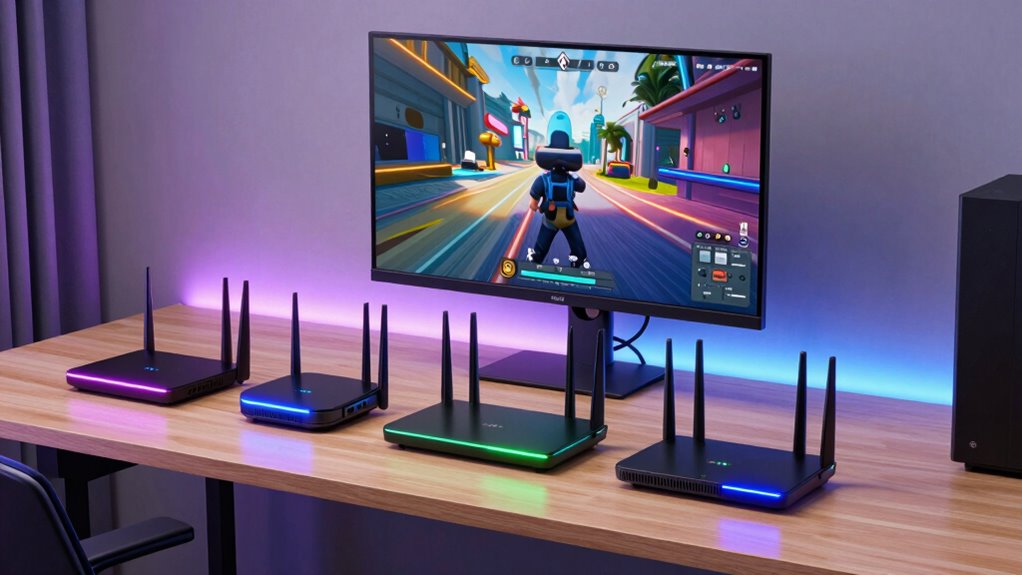

If you’re looking for the best wireless routers for SteamVR streaming in 2026, I recommend options like the TP-Link AX5400, NETGEAR Nighthawk WiFi 7, and the Puppis S1 for ideal speeds, stability, and coverage. These routers support advanced Wi-Fi standards, MU-MIMO, and beamforming to keep your immersive VR experience smooth and lag-free. Keep going to discover the top features and which model might be the perfect fit for your setup.
Key Takeaways
- Look for routers supporting WiFi 6 or WiFi 7 with minimum 3000 Mbps on the 5GHz band for smooth VR streaming.
- Prioritize devices with MU-MIMO, OFDMA, and beamforming for stable, high-performance connections across multiple devices.
- Ensure extensive coverage with high-gain antennas, mesh support, and dual or tri-band features for large VR play areas.
- Choose routers with robust security features like WPA3, firewalls, and regular firmware updates to protect VR data.
- Opt for user-friendly setup with mobile apps, automatic channel detection, and easy management tools for hassle-free installation.
| TP-Link AX5400 WiFi 6 Router (Archer AX73) | 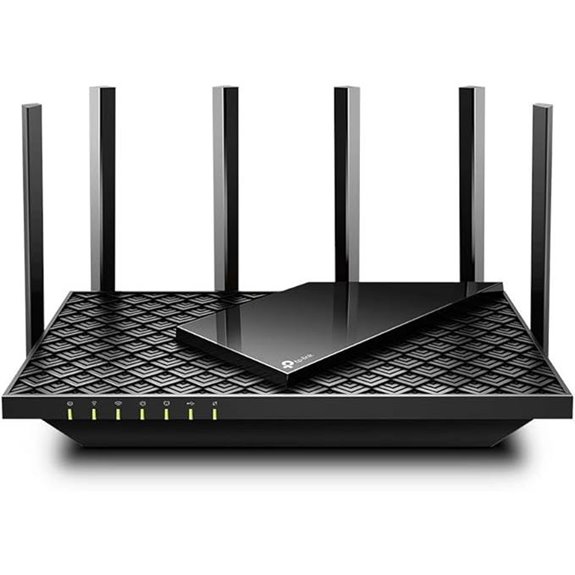 | Best Overall Performance | Dual Band Support: Yes (WiFi 6, 2.4GHz & 5GHz) | Multiple Devices Capacity: Handles dozens of devices via MU-MIMO/OFDMA | Security Features: TP-Link HomeShield security suite | VIEW LATEST PRICE | See Our Full Breakdown |
| NETGEAR Nighthawk WiFi 7 Router (BE9300) | 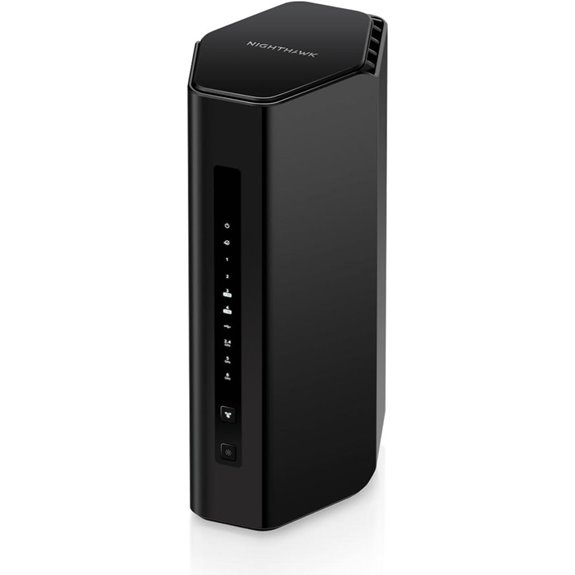 | Next-Gen Speed | Dual Band Support: Yes (WiFi 7, dual-band) | Multiple Devices Capacity: Supports up to 100 devices | Security Features: NETGEAR Armor, security updates | VIEW LATEST PRICE | See Our Full Breakdown |
| TP-Link AX1800 WiFi 6 Router (Archer AX21) | 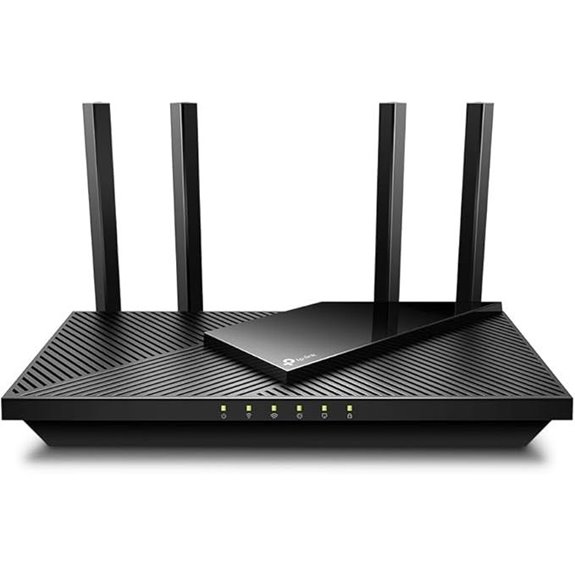 | Reliable Budget Option | Dual Band Support: Yes (WiFi 6, dual-band) | Multiple Devices Capacity: Supports multiple devices via WiFi 6 | Security Features: Advanced security, VPN support | VIEW LATEST PRICE | See Our Full Breakdown |
| Puppis S1 VR Streaming Router for Quest 3/2 | 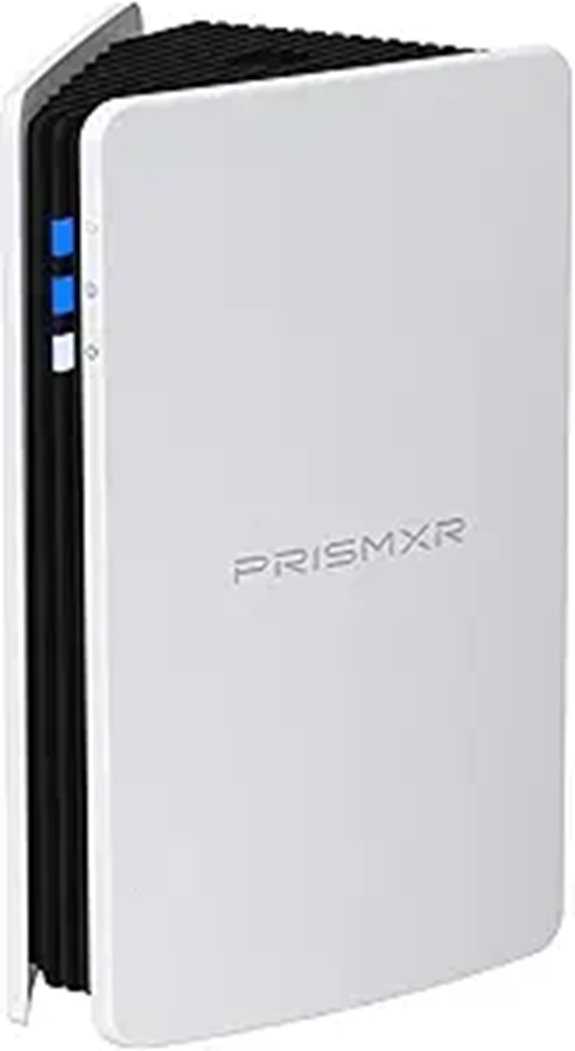 | High-Performance Streaming | Dual Band Support: Yes (Wireless, dual-band) | Multiple Devices Capacity: Compatible with multiple VR devices, supports multiple connections | Security Features: Secure wireless connection, minimal interference | VIEW LATEST PRICE | See Our Full Breakdown |
| TP-Link AC1200 Dual Band WiFi Router | 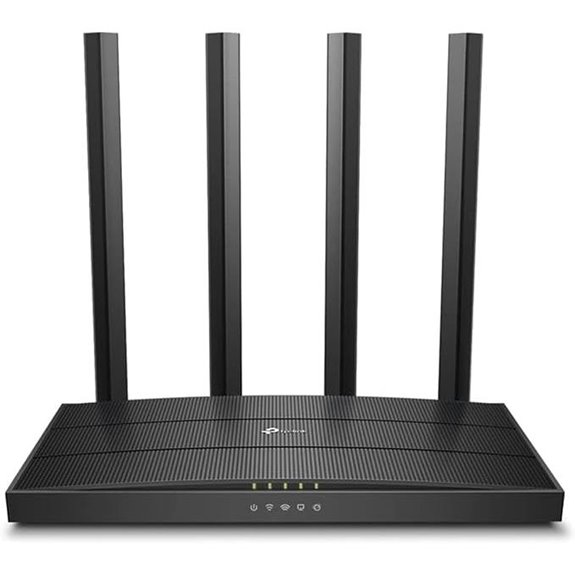 | Compact VR Solution | Dual Band Support: Yes (Dual-band, 2.4GHz & 5GHz) | Multiple Devices Capacity: Supports multiple devices with MU-MIMO | Security Features: WPA3 security | VIEW LATEST PRICE | See Our Full Breakdown |
More Details on Our Top Picks
TP-Link AX5400 WiFi 6 Router (Archer AX73)
If you’re serious about smooth SteamVR streaming, the TP-Link AX5400 WiFi 6 Router (Archer AX73) is hard to surpass. It delivers blazing-fast speeds up to 5400 Mbps, minimizing lag and buffering during intense VR sessions. Its advanced WiFi 6 technology supports multiple devices simultaneously, making it perfect for busy households with gaming, streaming, and downloads all happening at once. The extensive coverage, thanks to six antennas and beamforming, ensures a stable connection even in large spaces. Plus, features like MU-MIMO and OFDMA handle congestion effortlessly, giving you a seamless VR experience without interruptions.
- Dual Band Support:Yes (WiFi 6, 2.4GHz & 5GHz)
- Multiple Devices Capacity:Handles dozens of devices via MU-MIMO/OFDMA
- Security Features:TP-Link HomeShield security suite
- Compatibility with ISPs:Compatible with all major ISPs (modem required)
- Setup & Management:TP-Link Tether app, OneMesh setup
- Coverage Range:Long-range, extensive coverage in busy homes
- Additional Feature:Supports MU-MIMO and OFDMA
- Additional Feature:Vented heat-dissipation design
- Additional Feature:Whole Home Mesh support
NETGEAR Nighthawk WiFi 7 Router (BE9300)
The NETGEAR Nighthawk WiFi 7 Router (BE9300) stands out as an excellent choice for gamers and streamers who demand ultra-fast, reliable connections for SteamVR streaming. It offers impressive speeds up to 9.3Gbps, leveraging WiFi 7 technology to deliver 2.4 times faster performance than WiFi 6. Its sleek design and high-performance antennas provide coverage up to 2,500 sq. ft. and support up to 100 devices simultaneously. Easy to set up via the Nighthawk app, it also includes a 2.5 Gigabit port for multi-gig internet plans. With robust security features and regular updates, it’s a top-tier choice for seamless VR experiences.
- Dual Band Support:Yes (WiFi 7, dual-band)
- Multiple Devices Capacity:Supports up to 100 devices
- Security Features:NETGEAR Armor, security updates
- Compatibility with ISPs:Works with cable/fiber internet (modem needed)
- Setup & Management:Nighthawk app, easy management
- Coverage Range:Up to 2,500 sq. ft.
- Additional Feature:Supports Multi-Gig internet ports
- Additional Feature:Compact sleek design
- Additional Feature:Built-in security with Armor
TP-Link AX1800 WiFi 6 Router (Archer AX21)
For gamers and streamers seeking a reliable Wi-Fi 6 router that can handle demanding SteamVR streaming sessions, the TP-Link AX1800 WiFi 6 Router (Archer AX21) offers an excellent balance of speed and coverage. It delivers dual-band Gigabit speeds up to 1.8 Gbps, supporting multiple devices simultaneously thanks to OFDMA technology. With Beamforming and four high-gain antennas, it provides strong, focused signals even at a distance. Compatibility is broad, working with all major ISPs, and it includes security features like VPN support. Easy to set up and manage via the Tether app, it’s a solid choice for smooth, secure VR streaming.
- Dual Band Support:Yes (WiFi 6, dual-band)
- Multiple Devices Capacity:Supports multiple devices via WiFi 6
- Security Features:Advanced security, VPN support
- Compatibility with ISPs:Compatible with all major ISPs
- Setup & Management:Setup via Tether app, easy management
- Coverage Range:Extensive coverage with Beamforming and antennas
- Additional Feature:Compatible with Alexa voice control
- Additional Feature:Supports VPN server functions
- Additional Feature:Certified for Humans support
Puppis S1 VR Streaming Router for Quest 3/2
The Puppis S1 VR Streaming Router stands out for users seeking a high-speed, reliable wireless solution for Quest 3 and Quest 2 VR headsets. It offers compatibility with various headsets, including Meta Quest 3/2 and Pico models, and supports desktop software like Virtual Desktop and Steam Link. Powered by a 1.3GHz dual-core chipset and supporting 2×2 MIMO with 160MHz bandwidth, it delivers up to 3000 Mbps. The router’s advanced beamforming reduces interference, ensuring stable, low-latency VR streaming. Its easy setup, PrismXR app, and multiple connectivity modes make it a practical choice for immersive wireless VR experiences in 2026.
- Dual Band Support:Yes (Wireless, dual-band)
- Multiple Devices Capacity:Compatible with multiple VR devices, supports multiple connections
- Security Features:Secure wireless connection, minimal interference
- Compatibility with ISPs:Compatible with PC and VR setups, no ISP mention
- Setup & Management:Easy setup with PrismXR Desktop App
- Coverage Range:Designed for stable VR streaming, coverage focus
- Additional Feature:Supports PrismPulse Mode
- Additional Feature:2×2 MIMO 160MHz bandwidth
- Additional Feature:Low-latency VR streaming
TP-Link AC1200 Dual Band WiFi Router
If you’re looking for a reliable router that can handle SteamVR streaming without lag, the TP-Link AC1200 Dual Band WiFi Router stands out with its dual-band connectivity and high-speed performance. It offers a combined speed of 1200 Mbps, with 300 Mbps on 2.4GHz and 900 Mbps on 5GHz, perfect for smooth VR experiences. Its four external antennas with Beamforming technology boost coverage and focus signals for long-range connectivity. MU-MIMO allows multiple devices to connect simultaneously without buffering, ideal for busy households. Plus, features like WPA3 security and OneMesh support guarantee seamless, secure, and expanded coverage across your home.
- Dual Band Support:Yes (Dual-band, 2.4GHz & 5GHz)
- Multiple Devices Capacity:Supports multiple devices with MU-MIMO
- Security Features:WPA3 security
- Compatibility with ISPs:Compatible with all major ISPs (modem required)
- Setup & Management:Easy via TP-Link app, mesh support
- Coverage Range:Extended with Beamforming and external antennas
- Additional Feature:Supports Access Point mode
- Additional Feature:Advanced WPA3 security
- Additional Feature:Seamless OneMesh coverage
Factors to Consider When Choosing a Router for SteamVR Wireless Streaming
When selecting a router for SteamVR streaming, I look at several key factors to guarantee a smooth experience. Speed, stability, range, device compatibility, and security all play vital roles in making the right choice. Understanding these points helps me find a router that can handle the demands of wireless VR gaming without issues.
Wireless Speed Requirements
Ever wondered what it takes for smooth SteamVR wireless streaming? To achieve that, your router needs to support minimum speeds of around 3000 Mbps on the 5GHz band. Faster WiFi standards like WiFi 6 and WiFi 7 deliver higher speeds and lower latency, which are essential for immersive VR with minimal lag. A router equipped with MU-MIMO and OFDMA technologies can handle multiple high-bandwidth devices simultaneously, maintaining consistent streaming quality. I recommend choosing a router with at least 2400 Mbps on the 5GHz band to provide enough throughput for VR data demands and to buffer against network fluctuations. Ultimately, exceeding your VR application’s data requirements guarantees a stable, lag-free experience, making high wireless speeds a critical factor in your router choice.
Network Stability Factors
Choosing the right router for SteamVR streaming hinges on several key factors that guarantee a stable and low-latency connection. First, look for routers supporting Wi-Fi 6 or Wi-Fi 7, as they reduce latency and improve reliability. High-quality routers with beamforming focus signals directly toward your device, minimizing interference and signal loss. Features like OFDMA and MU-MIMO ensure multiple devices connect efficiently without degrading network stability. Dual or tri-band routers help distribute traffic, reducing congestion during intense VR sessions. Proper placement of the router—central and elevated—along with a high-powered antenna system, further enhances overall network stability. These factors collectively create a robust environment for seamless, lag-free SteamVR streaming, ensuring your experience remains smooth and immersive.
Coverage Range Capabilities
A router with an extensive coverage range is indispensable for maintaining a stable wireless connection during SteamVR streaming, especially across larger play areas. High-gain antennas and beamforming technology help focus the Wi-Fi signal, extending coverage to distant or obstructed zones. Incorporating high-power amplifiers and multiple antennas considerably boosts reach and stability, reducing the risk of lag or signal dropouts. Mesh networking support is also essential, as it creates a seamless coverage area by connecting multiple units, minimizing dead zones during VR sessions. Longer-range routers ensure a consistent connection across your entire play space, which is critical for immersive VR experiences like SteamVR streaming. When choosing a router, prioritize those with these coverage-enhancing features to optimize your VR setup and ensure smooth gameplay.
Device Compatibility Needs
When selecting a router for SteamVR wireless streaming, device compatibility features play a key role in guaranteeing smooth gameplay. First, I look for dual-band Wi-Fi support (2.4 GHz and 5 GHz) because it helps optimize performance and reduces interference. Advanced beamforming technology is also essential, as it maintains a stable, high-speed connection with VR headsets and the PC. I double-check if the router supports my preferred streaming software like Virtual Desktop or Steam Link to avoid compatibility issues. Bandwidth capacity is critical—aiming for at least 3000 Mbps ensures high-quality VR streaming without lag. Finally, features like MU-MIMO and OFDMA help handle multiple devices simultaneously, minimizing latency and ensuring a seamless VR experience.
Security Features Offered
Since wireless streaming involves transmitting sensitive data over your network, security features are essential in protecting your VR sessions from potential threats. I look for routers with advanced security protocols like WPA3, which encrypts communications and safeguards your data during streaming. Built-in firewalls and intrusion detection systems are also fundamental, as they help block unauthorized access and keep your network safe. Regular firmware updates are indispensable, ensuring known vulnerabilities are patched and your router remains secure. VPN support is a big plus, allowing me to create secure tunnels for private streaming or remote access. Additionally, parental controls and device management tools give me control over who connects and what they can access, adding extra layers of protection and peace of mind.
Ease of Setup
Choosing a wireless router that’s easy to set up can save you time and frustration, especially when streaming SteamVR content. A user-friendly setup process means you can connect your VR equipment quickly without technical headaches. Routers with dedicated mobile apps or guided setup wizards make configuration straightforward, reducing the need for advanced networking knowledge. Compatibility with your existing modem hardware and clear instructions ensure smooth integration into your home network. Features like automatic detection of ideal channels and simple network management tools help streamline the initial setup. Plug-and-play designs and minimal manual configuration make the entire process hassle-free, letting you focus on enjoying your VR experience rather than troubleshooting connectivity issues. Ease of setup is essential for a seamless, frustration-free SteamVR streaming setup.
Frequently Asked Questions
How Does Router Latency Impact Steamvr Streaming Quality?
Router latency directly impacts my SteamVR streaming quality because high latency causes delays between my headset and the PC. This results in lag, choppy visuals, and a less immersive experience. Lower latency guarantees smoother, more responsive gameplay, making movements feel natural and reducing motion sickness. I always look for routers with minimal latency to enjoy seamless VR sessions, especially during fast-paced or intense gaming moments.
Are Certain Router Features Better for VR Streaming?
Absolutely, certain router features make a big difference for VR streaming. I look for routers with dual-band or tri-band Wi-Fi, which reduce interference and congestion. MU-MIMO technology is a game-changer, allowing multiple devices to connect seamlessly without lag. Prioritization features like QoS help guarantee VR traffic gets priority, minimizing latency. Finally, a strong, stable connection with high throughput is essential for smooth, immersive VR experiences.
Can Multiple Devices Affect VR Streaming Performance?
Absolutely, multiple devices can impact VR streaming performance. I’ve noticed that when my other gadgets—like smart TVs or phones—are active on the same network, my VR experience buffers or lags. It’s like a traffic jam for data. To get the best experience, I prioritize my VR device or set up a dedicated network to minimize interference and guarantee smooth, immersive streaming every time.
What Is the Ideal Router Placement for Minimal Lag?
I recommend placing your router in a central, elevated spot, away from walls and metal objects. Keep it off the floor and free from obstructions like furniture or electronics that could cause interference. Positioning it higher guarantees better signal distribution, reducing lag during VR streaming. Regularly updating firmware and using a wired connection for your VR setup can also make a big difference in minimizing lag.
How Often Should Firmware Updates Be Performed for Optimal VR Streaming?
Firmware updates are like the secret sauce for keeping your VR streaming smooth as butter, so I recommend checking for updates at least once a month. Regular updates fix bugs, improve performance, and enhance security, preventing lag and disconnections that can ruin your experience. I make it a habit to update promptly when notifications pop up, ensuring my setup stays optimized, reliable, and ready for the most immersive VR adventures.
Conclusion
Did you know that a stable wireless connection can reduce latency by up to 50%? That’s huge for SteamVR streaming, where every millisecond counts. Choosing the right router can make or break your immersive experience. Whether you go for the latest WiFi 7 or a reliable WiFi 6 model, investing in quality hardware guarantees smooth, lag-free VR adventures. Don’t settle for less—your virtual worlds deserve the best connection possible.