
Switching from SMS 2FA to authenticator apps and passkeys boosts your security by reducing vulnerabilities like interception, SIM swapping, and phishing. Authenticator apps generate time-based codes, making login faster and more secure. Passkeys bind cryptographic keys to your device, offering a passwordless, phishing-resistant experience. Moving to these methods involves planning, system updates, and user training, but the enhanced protection makes it worth the effort—discover how to make this progression smoothly and securely.
Key Takeaways
- Transition by evaluating accounts currently using SMS 2FA and informing users about the security benefits of authenticator apps and passkeys.
- Implement authenticator apps supporting TOTP protocols, updating infrastructure for seamless integration and account linking.
- Replace SMS-based codes with cryptographic passkeys linked to devices, enhancing security and phishing resistance.
- Provide user training and backup options like recovery codes to ensure a smooth migration process.
- Shift towards passwordless, biometric, and hardware-based authentication methods to strengthen security and user experience.
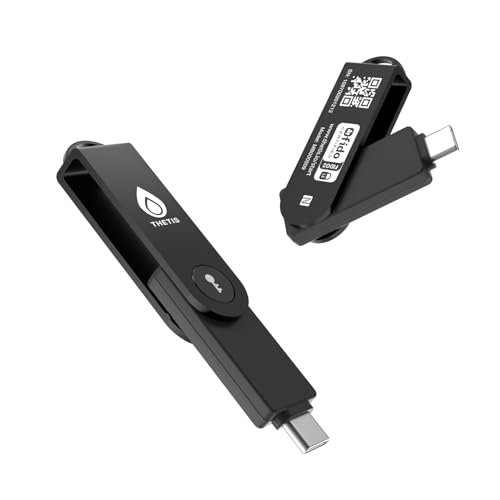
Thetis Pro-C FIDO2 (L2) Security Key Passkey Device with USB C & NFC, TOTP/HOTP Authenticator APP, FIDO 2.0 Two Factor Authentication 2FA MFA, Supports Windows/macOS/Linux/Gmail/Facebook/Dropbox
- FIDO2 Level 2 Authentication: Secure passwordless sign-in for supported services
- Multi-Factor Authentication: Supports FIDO2 and TOTP/HOTP for enhanced security
- USB-C & NFC Compatibility: Works seamlessly with PCs, Macs, iPhones, Android devices
As an affiliate, we earn on qualifying purchases.
As an affiliate, we earn on qualifying purchases.
Understanding the Vulnerabilities of SMS 2FA
SMS 2FA may seem like a convenient security measure, but it has significant vulnerabilities that put your accounts at risk. One major issue is that SMS messages are transmitted over unencrypted networks, making them susceptible to interception by hackers. Attackers can also perform SIM swapping, hijacking your phone number to receive your 2FA codes and gain access to your accounts. Additionally, anyone with physical access to your phone can read your SMS messages, exposing sensitive information. SMS codes are vulnerable to phishing and man-in-the-middle attacks because they are transmitted over networks that can be compromised. Moreover, delays or prolonged expiration times of these codes increase the window for attackers to exploit. These vulnerabilities highlight the need for stronger, more secure alternatives. Ethical hacking techniques can be used to identify such weaknesses in security systems, emphasizing the importance of adopting more robust authentication methods. Implementing passkeys provides a more resilient form of authentication that reduces reliance on vulnerable SMS protocols. Utilizing multi-factor authentication with hardware security keys can further enhance account protection against these vulnerabilities. Additionally, encryption protocols can be employed to secure communication channels and mitigate interception risks. Incorporating security best practices, such as regular account monitoring and updated software, can also help prevent unauthorized access.
Benefits of Switching to Authenticator Apps
Switching to authenticator apps considerably enhances your account security by eliminating many vulnerabilities associated with SMS 2FA. These apps generate time-based one-time passwords (TOTPs) locally on your device, so codes aren’t transmitted over networks and can’t be intercepted or hijacked. They don’t rely on internet or cellular signals, making them reliable even in remote areas. Authenticator apps are resistant to SIM swapping and man-in-the-middle attacks because codes stay stored on your device. They also support additional security layers, such as device passcodes or biometrics, further protecting your accounts. Plus, the quick expiration of codes—usually every 30 seconds—reduces the window for phishing. Overall, authenticator apps provide a more secure, resilient, and user-friendly way to verify your identity. Secure authentication methods help safeguard your digital life beyond traditional SMS verification.
How Passkeys Are Reshaping Authentication Security
Passkeys are transforming authentication security by binding cryptographic keys directly to your device, making it much harder for attackers to impersonate you. They also boost resistance to phishing by using biometric or hardware validation instead of shared secrets. This seamless approach simplifies login experiences while markedly strengthening your defenses against common threats. Additionally, cryptographic keys enhance overall security by reducing reliance on vulnerable passwords and shared credentials. The integration of device-based authentication further minimizes the risk of credential theft and unauthorized access, especially as AI advancements enable smarter security protocols that adapt to emerging threats. Moreover, the use of stronger authentication methods from vetted sources continues to evolve, providing users with even more robust protections.
Cryptographic Device Binding
How do passkeys enhance security through cryptographic device binding? Passkeys strengthen security by linking your credentials directly to your device’s hardware, using advanced cryptography. When you create a passkey, it generates a unique cryptographic key pair—public and private. The private key remains securely stored on your device, never transmitted or shared, while the public key is registered with the service. During authentication, the service challenges your device to sign a cryptographic nonce with your private key, proving ownership without exposing sensitive data. This binding ensures that only your device can authenticate, making impersonation impossible even if someone intercepts communication. By tethering credentials to specific hardware, cryptographic device binding dramatically reduces risks like phishing, man-in-the-middle attacks, and credential theft. AI security technologies further support detection of suspicious activity during authentication processes, enhancing overall safety. Additionally, passkeys leverage cryptographic device binding to ensure that credentials are uniquely associated with particular hardware, providing an extra layer of protection against credential compromise. This hardware-based security approach is crucial in modern authentication because it relies on the intrinsic security features of your device, making it much more difficult for attackers to compromise your credentials. Moreover, the secure enclave on modern devices plays a vital role in safeguarding cryptographic keys from extraction or tampering.
Phishing Resistance Enhancement
Cryptographic device binding markedly boosts security by ensuring credentials are tied directly to your device’s hardware. This approach makes phishing attacks much harder because there’s no shared secret or static code for attackers to steal or mimic. Passkeys leverage public key cryptography, where your device generates a unique key pair. The private key stays securely on your device, while the public key verifies your identity without revealing sensitive information. Since no code is transmitted over the network, phishing attempts fail because attackers can’t intercept or trick you into revealing secret credentials. Additionally, biometric verification adds another layer, ensuring that only you can activate the passkey. This combination drastically reduces the attack surface, making phishing attacks ineffective and considerably improving your overall authentication security. Moreover, the integration of mindset and intention setting in adopting new security measures can empower users to stay vigilant against evolving cyber threats. Implementing these advanced security features aligns with trusted security protocols, further strengthening user confidence.
Seamless User Experience
Seamless user experience is transforming the way we authenticate online, making security both stronger and more convenient. Passkeys streamline login processes by eliminating passwords and reducing the need for manual input. Instead, you authenticate with your device’s biometrics or PIN, creating a frictionless experience. Because passkeys are stored locally and use cryptographic proof, you don’t need to remember complex codes or switch between apps. This reduces errors and frustration, especially when logging in from different devices. Plus, passkeys work effortlessly across platforms that support FIDO2 and WebAuthn, ensuring consistent security and usability. For you, this means faster, more intuitive access while maintaining robust protection against phishing, interception, and account takeovers. Additionally, implementing AI security measures can further enhance authentication systems by detecting anomalies and preventing unauthorized access. Incorporating mind-body awareness techniques can help users stay present and vigilant during authentication processes, reducing susceptibility to social engineering attacks. As technology advances, cryptographic protocols continue to strengthen the security foundation of passkeys, making them an even more reliable option. Moreover, ongoing research in biometric security aims to improve the accuracy and reliability of biometric authentication methods, further boosting user confidence in passkey systems. Recognizing the importance of user education can also help users better understand and trust these new authentication methods. The result is a smoother, more trustworthy digital experience.
Planning Your Transition From SMS to Authenticator Tools
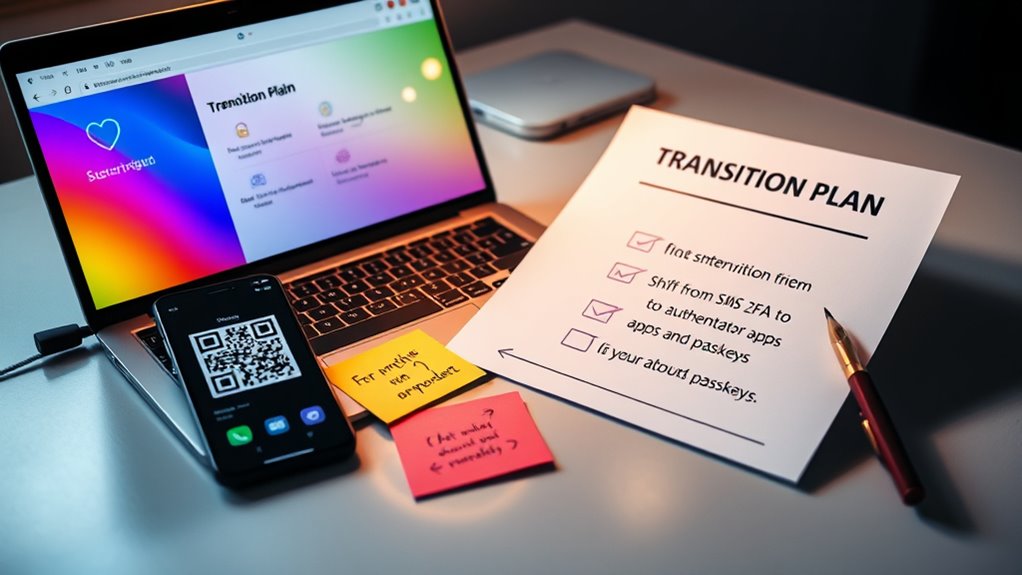
Planning your shift from SMS to authenticator tools requires careful preparation to guarantee a smooth switch. First, evaluate your current systems and identify which accounts rely on SMS 2FA. Communicate the upcoming change clearly to users, emphasizing the security benefits and providing step-by-step instructions. Confirm your team has access to compatible authenticator apps like Google Authenticator or Microsoft Authenticator. Set a timeline that allows users to transition gradually, minimizing disruptions. Prepare backup options, such as recovery codes or alternative verification methods, to prevent lockouts. Test the process extensively in a controlled environment before full deployment. Finally, provide training and support resources to help users adapt seamlessly, reducing resistance and ensuring a successful migration.
Integrating Authenticator Apps With Existing Systems
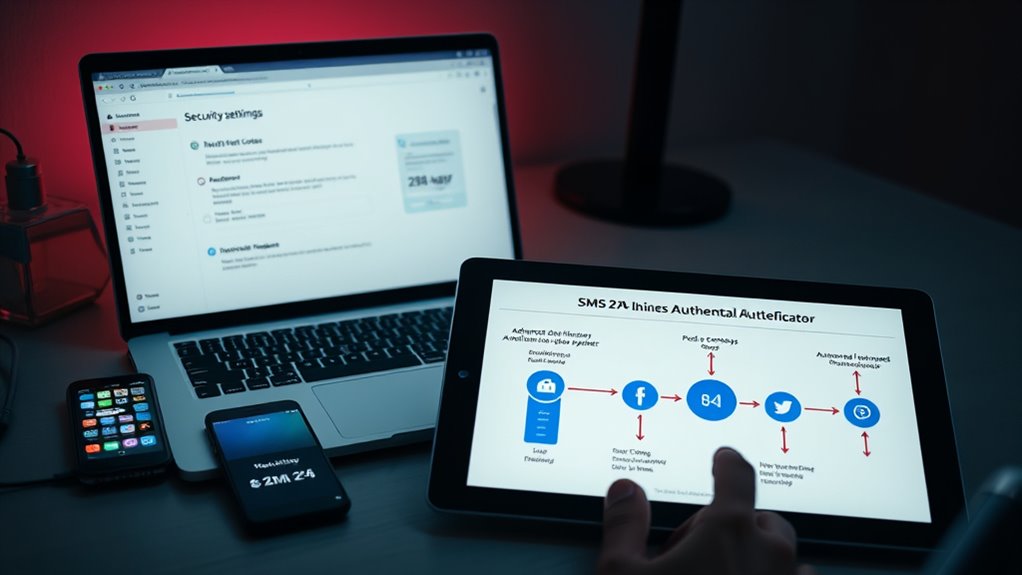
To effectively integrate authenticator apps into your existing systems, you need to understand how these tools fit into your current authentication workflows. This involves updating your infrastructure to support time-based one-time passwords (TOTPs) and ensuring seamless user onboarding. Here are three key steps:
- API Integration: Connect your applications with standard authentication protocols like OATH or WebAuthn to enable app-based MFA. Incorporating security protocols such as OATH or WebAuthn ensures compatibility and strengthens your authentication process. Understanding token generation methods helps improve security and user experience.
- User Management: Enable account linking with authenticator apps, including setup instructions and backup options. Providing clear guidance and backup options helps users build confidence and resilience in their security practices.
- Security Policies: Update your policies to enforce app-based MFA, including device registration, expiration timers, and recovery procedures. Incorporating Mindfulness techniques such as regular review and assessment of your security protocols can enhance overall resilience and user confidence.
Embracing Passkeys for a Passwordless Future
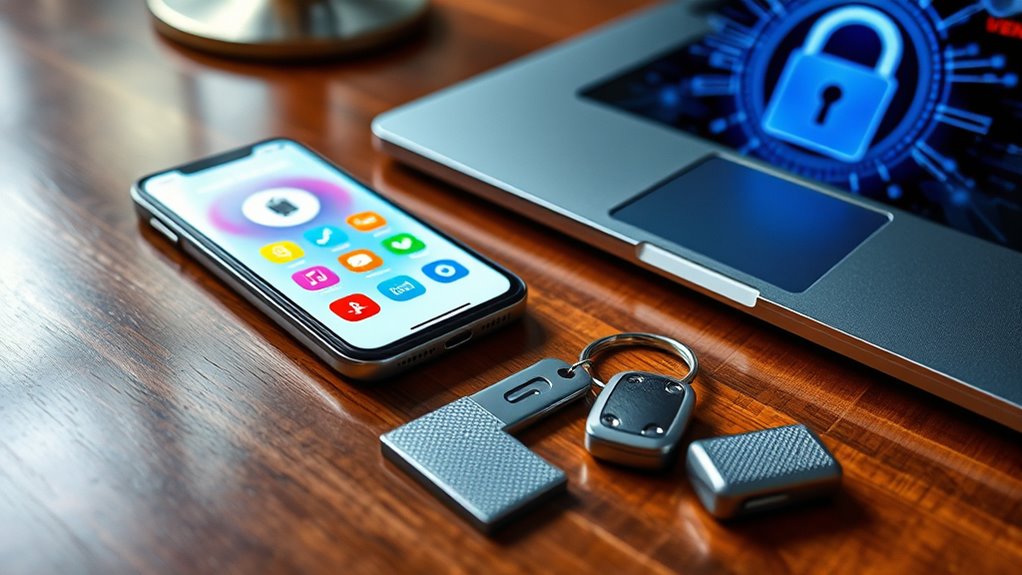
As cybersecurity threats evolve, passkeys offer a compelling path toward a passwordless future by providing a more secure and user-friendly authentication method. Instead of relying on shared secrets or codes that can be intercepted or stolen, passkeys use cryptographic keys tied to your device and biometric data. This means you no longer need to remember passwords or enter one-time codes, reducing the risk of phishing and credential theft. Supported by major platforms like Apple, Google, and Microsoft, passkeys simplify sign-in processes across devices and services. They leverage standards like FIDO2 and WebAuthn, ensuring robust security without sacrificing convenience. Shifting to passkeys enhances your security posture, builds user trust, and aligns with the future of seamless, passwordless authentication.
Overcoming Common Challenges During Migration
Migrating from SMS 2FA to authenticator apps or passkeys can present several challenges that organizations must tackle to guarantee a seamless shift. First, user adaptation can be difficult, especially for those accustomed to SMS codes. Second, device compatibility issues may arise if users have outdated hardware or operating systems. Third, guaranteeing data migration and backup options are in place is vital to prevent lockouts. To address these obstacles:
- Provide clear, step-by-step guidance and training to ease user transition.
- Assess device compatibility and upgrade or support alternative authentication methods.
- Implement backup and recovery plans, such as account recovery keys or multi-device support, to prevent access issues during the switch.
Proactively managing these challenges helps guarantee a smooth migration process and maintains security integrity.
Enhancing User Experience and Security Post-Transition
Implementing stronger authentication methods like authenticator apps and passkeys can substantially boost both security and user experience after migration. These methods offer faster, more reliable access by eliminating delays and network dependencies common with SMS 2FA. You’ll benefit from seamless sign-ins, especially on devices supporting biometric or hardware-based verification, reducing the need for manual code entry. Visual timers and notifications in authenticator apps help prevent errors, making login smoother. Passkeys, being passwordless, simplify the process further, allowing quick, frictionless access while maintaining high security. Although some users may initially find the switch challenging, providing clear instructions and backup options guarantees a smooth transition. Overall, these upgrades strengthen your security posture and make authentication more convenient and resilient.
Future Trends in Authentication Technologies
You’ll see passwordless methods becoming the standard as they increase security and user convenience. Enhanced multi-factor protocols will combine biometrics, device validation, and cryptographic keys for stronger protection. These trends are shaping a future where authentication is seamless, more secure, and less reliant on shared secrets.
Rise of Passwordless Methods
As authentication technologies evolve, passwordless methods are gaining momentum as a more secure and user-friendly alternative to traditional passwords and multi-factor authentication. These methods eliminate shared secrets and reduce attack surfaces. You’ll find that they streamline login processes while bolstering security. Here are three key trends driving this shift:
- Passkeys use cryptographic keys stored on your device, making phishing and interception impossible.
- Biometric authentication leverages fingerprint or facial recognition for quick, secure access without passwords.
- FIDO2/WebAuthn protocols enable seamless, passwordless logins across platforms and services.
This evolution prioritizes security and convenience, offering a frictionless experience while markedly reducing vulnerabilities associated with traditional methods.
Enhanced Multi-Factor Protocols
Future trends in authentication are leaning toward enhanced multi-factor protocols that combine multiple security layers for stronger protection. You’ll see more systems integrating biometrics, hardware tokens, and cryptographic keys alongside traditional factors. This layered approach makes it harder for attackers to breach accounts, even if one method is compromised. For example, combining passkeys with device-based biometrics creates a seamless yet robust security experience. You’ll also notice adaptive authentication, which evaluates risk factors like location and device integrity before granting access. These protocols reduce reliance on single methods like SMS codes, which are vulnerable. As organizations adopt these multi-layered systems, your login process becomes more secure without sacrificing usability, helping prevent account takeovers and data breaches more effectively.
Frequently Asked Questions
How Do I Securely Back up Authenticator App Codes?
You can securely back up your authenticator app codes by using the app’s built-in backup options, like cloud sync or encrypted recovery keys. Make certain to store recovery codes offline in a safe place, such as a password manager or a secure physical location. Avoid sharing backup information, and enable multi-factor recovery methods if available. Regularly review and update your backups to guarantee you can access your accounts if your device is lost or damaged.
What Should I Do if I Lose My Passkey-Enabled Device?
If you lose your passkey-enabled device, first use any backup options provided by your service, like recovery codes or secondary authentication methods. Contact your account provider to verify your identity and reset your credentials. It’s essential to have backup options set up beforehand, such as device backups or alternative authentication methods, to prevent lockouts. Always keep recovery details secure and updated to avoid losing access in these situations.
Are Passkeys Compatible With All Online Services?
Back in the days of dial-up, compatibility wasn’t a concern, and now, passkeys are broadly supported across many major online services. You can expect them to work with popular platforms like Google, Apple, and Microsoft, which are actively adopting this technology. However, some smaller or legacy sites may still lack passkey support. Always check if your service offers it, and consider alternative MFA methods if needed.
How Long Does the Transition From SMS to Authenticator Take?
The shift from SMS to authenticator apps usually takes a few days to a couple of weeks, depending on your organization’s size and user adoption pace. You’ll need time to set up the apps, verify accounts, and train users on new processes. Planning ahead, communicating clearly, and providing support can help speed up the changeover, ensuring everyone adapts smoothly without disrupting access or security.
Can I Use Both SMS 2FA and Passkeys Simultaneously?
Yes, you can use both SMS 2FA and passkeys simultaneously. Many organizations offer multi-factor authentication options, allowing you to set up and use multiple methods for added security. This way, if one method isn’t available or fails, the other still protects your account. Using both provides flexibility and strengthens your security posture, especially during shift periods or in situations where one method might be temporarily inaccessible.
Conclusion
Switching from SMS 2FA to authenticator apps and passkeys isn’t just about embracing new technology; it’s about prioritizing your security over convenience. While SMS may seem simple, its vulnerabilities pose real risks. Authenticator apps and passkeys offer stronger protection, making your accounts safer. So, don’t settle for the ease of the past when the future of secure, seamless login is within reach—choose security that truly safeguards your digital life.